If your team builds software using Artificial Intelligence, you are likely facing a hidden, growing problem. That problem is managing your Agent Contexts the detailed prompts, rules, and settings you give to an AI to tell it exactly how to behave.
When you use ChatGPT yourself, you type a quick prompt to get an answer. But when you are building an AI app (like a customer support chatbot for your website), it works differently. The developer has to write a hidden Agent Context in the app's background code. This Agent Context tells the AI how to behave before the user even types a word.
For example, a developer might type this Agent Context directly into their code: "You are a polite support bot for our shoe store. Never offer refunds. Keep answers under two sentences."
At first, managing these Agent Contexts is easy. A developer figures out the perfect setup, types that exact Agent Context directly into the backend code of the app, and moves on to the next task.
But as your team grows, this simple process completely breaks down. Suddenly, you have different developers saving their own Agent Contexts deep inside the hidden code of dozens of different apps. These important setups get lost, forgotten, or buried on one person's private laptop.
If your company's business rules change and the chatbot needs to start offering refunds, developers have to go on a long, frustrating search. They have to read through hundreds of lines of code just to find where that specific Agent Context was hidden, rewrite it, and then update the entire software system. This slows your entire team down. Even worse, because the Agent Contexts are scattered all over the place, the AI gives confusing and mixed answers to your users.
ProxVanta fixes this exact issue.
ProxVanta is a platform built to bring order to this mess. It acts as a central home for all your Agent Contexts, making them easy to reuse, share, and connect to different tools. Here is a look at how ProxVanta works, how it fits into your daily coding routine, and why it is an absolute must-have for software teams.
Ideal For:
- CTOs & Engineering Leads: Looking to eliminate messy code and standardize AI integrations across all products.
- Product Managers: Needing a way to update AI behavior and rules instantly without waiting on a developer to push new code.
- AI Engineers & Developers: Wanting to pull clean, version-controlled Agent Contexts directly into their code editors without copying and pasting.
1. Stop Typing Agent Contexts into Your Code
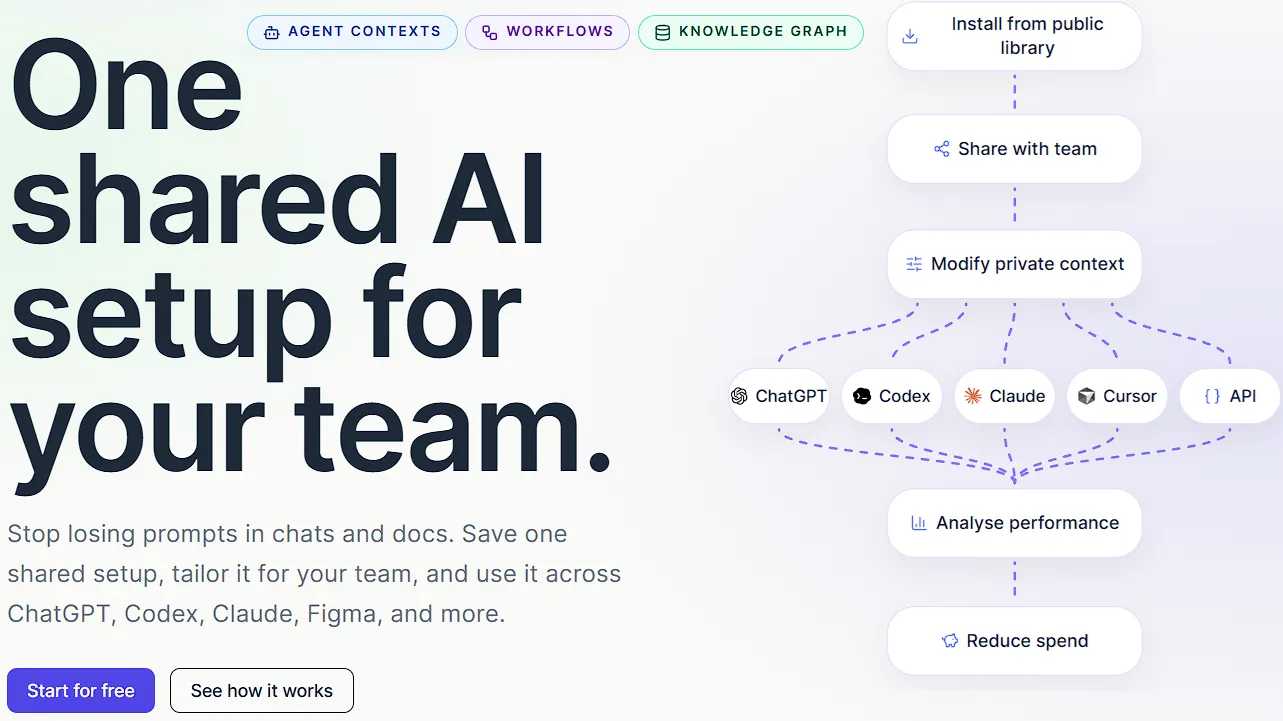
The biggest selling point of ProxVanta is that it completely removes the need to store text-based Agent Contexts inside your code. They call this "One shared AI setup for your team," and it changes the entire way you build AI tools.

Instead of hiding a large block of text inside your code, your app simply asks the ProxVanta system for the shared Agent Contexts. This gives developers three huge advantages:
- One Source of Truth: You can use the exact same Agent Contexts across your web chatbots, your internal team tools, and your background data jobs. Everyone and everything pulls information from the exact same place. If you update an Agent Context on ProxVanta, it updates everywhere automatically.
- Updates Without Changing Code: Because the Agent Contexts live entirely inside the ProxVanta website, a manager can tweak the AI's behavior directly from their internet browser. Your apps will instantly pick up the latest version the next time they run. You do not need to restart your servers or push new code just to change how the AI talks.
- Keeping Track of Changes: Sometimes, a new Agent Context accidentally breaks your app or makes the AI act strangely. ProxVanta allows you to instantly roll back to an older, working version of your Agent Contexts (for example, going back to
version 2) until you figure out what went wrong.
2. Understanding How Data is Shared
To truly understand why ProxVanta is so useful, you have to look at how it sends data to your apps. When your app asks ProxVanta for Agent Contexts, you are not just getting a simple line of text back. You are getting a highly organized package of data that tells your app exactly what to do.
The system uses simple web links to share this data. When you use one of these links, the response splits the data into two very important pieces: the context text and the structuredData.
The Context Text
This is the ready-to-use prompt paragraph. This is the raw text that you send directly to AI models like OpenAI or Claude. For example, it might simply say: "You are a designer. Review screens, design details, and buttons. Focus on layout quality and missing steps." It is the actual brain of the operation.
The Structured Data
This is where the magic happens for developers who are building complete apps with buttons and menus. This section contains all the extra details about that specific AI helper. Instead of guessing how to set up your app, the data tells you:
- Names and Descriptions: It gives you a short name and a clear description so you can easily build neat menu screens for your users.
- Suggested Prompts: It gives you a list of ready-made questions (like "Review this new user screen") that you can use to create helpful starter buttons in your chat window.
- Safety Limits: It provides limits that tell your app exactly when to warn a user that their typed message is getting too long. This helps save you money on expensive AI costs because you stop the AI from reading massive, unnecessary files.
- Decision Steps: It clearly lists how the AI should behave. This is incredibly useful for figuring out why the AI might have given a strange answer.
By separating the raw text from the extra app details, ProxVanta makes it incredibly easy to build beautiful AI apps that automatically update whenever the Agent Contexts change.
3. Smooth Code Editor Connections
An AI tool is only good if it fits easily into a developer's normal workday. ProxVanta understands that developers do not want to leave their code editors to go search for Agent Contexts on a separate website. To solve this, they bring your team's private library directly into your code editor.

Using ProxVanta in Cursor
If you use the popular AI code editor called Cursor, adding ProxVanta takes about two minutes. You simply open your command window, copy their free setup file, and run it. This setup automatically connects Cursor to ProxVanta.
Once you log in, you can use ProxVanta directly in your Cursor chat by typing natural commands. For example, you can type:
- "use ProxVanta to list the available Agent Contexts"
- "Use ProxVanta, designer to review this new screen."
This means you can apply your company's specific, approved Agent Contexts to your current work without ever copying and pasting anything. The AI in your editor suddenly knows exactly how your company likes to write code.
Using ProxVanta in Codex
The setup for Codex is just as smooth. Inside the Codex settings menu, you simply add a new server link. You point the link to ProxVanta, provide your secret password key, and you are done.
From that point on, you can start any Codex chat with a command like $ProxVanta route this launch plan through the right Agent Contexts. The system will automatically pull your team's shared Agent Contexts and apply them to the code you are writing.
4. The Public Library and Private Custom Rules
Staring at a blank page is scary, even when writing Agent Contexts. It can take hours to figure out the exact words to make the AI do what you want. To help teams get moving faster, ProxVanta offers a massive library of over 1,000 proven, expertly tested public Agent Context templates.
You can search this library for exactly what you need. Are you trying to build a new feature? You can grab the "Software Engineer" template. Do you need to test your code? Grab the "Quality Tester" template.
However, you are not forced to use these exactly as they are. The true value comes from taking a high-quality public starting point and pulling it into your team's private workspace. Once you bring it over, it becomes a custom version just for your company. You can add your company's specific tone of voice, strict security limits, or specific coding choices (like "Always prefer the color blue over red").
This path of starting with a public template and making it private saves you hours of trial and error. These private Agent Contexts stay completely secure. Nobody outside of your company can see them, and they are only visible to your approved team members.
5. Built for the Whole Company

While developers love the easy setup, ProxVanta is designed to be used by the entire company. The ways to use it naturally grow as the team gets comfortable with the shared library:
- Software Engineers: Use the tool to inject security Agent Contexts directly into automated code checkers. This ensures that every piece of code is scanned for mistakes using the exact same standard.
- Product Teams: Use standard Agent Contexts to quickly write feature plans that match the company's usual style. This means less time formatting documents and more time actually building products.
- Customer Support: Use shared Agent Contexts to make sure the AI drafts replies to angry customers in a polite, standard tone every single time. You never have to worry about the AI saying something inappropriate.
- Operations Teams: Take messy internal habits and run them through clear Agent Contexts to turn them into easy, repeatable tasks.
Pricing Breakdown
ProxVanta offers a flexible pricing structure that grows with your team. Aside from the Free tier, all paid plans come with a 7-day free trial so you can test the advanced features risk-free.
- Free ($0): Great for discovering better Agent Contexts. It includes 3 seats, 10 Private Agent Contexts, access to the Public Library, and MCP (Model Context Protocol) access for your code editors.
- Pro ($19/mo or $190/yr): Built for small teams working with AI daily. It bumps you up to 10 seats and 25 Private Agent Contexts. Crucially, this tier unlocks API access (to integrate into your own apps) and AI Generative Agent Contexts.
- Team ($79/mo or $790/yr): Designed for faster execution and shared workspaces. Includes 25 seats, 100 Private Agent Contexts, and unlocks powerful Analytics to see exactly how your team is using their AI tools.
- Business ($299/mo or $2,990/yr): Made for scaling operations. Includes 50 seats, a massive 200 Private Agent Contexts, Advanced Governance controls for tight security, and Priority Support.
Our Honest Opinion
If you are a solo developer quickly building a small weekend project, you might be fine typing an Agent Context or two directly into your code. But the moment you are working on a team, or the moment your app needs multiple different AI helpers to work properly, keeping your Agent Contexts in your code becomes a giant mess that will cost you massive amounts of time later.
ProxVanta is a smart, simple solution to a very modern problem. By treating Agent Contexts like organized data rather than just messy blocks of text, it brings order to the wild world of AI tools.
With its free starter plan, clear API limits, strong developer tools, and seamless integrations with popular code editors like Cursor and Codex, ProxVanta is an easy choice. It provides the speed, safety, and easy movement that modern teams desperately need. Stop losing your best Agent Contexts in code files, and start building a single source of truth today with ProxVanta.


