When You Know What to Build but Not How It Should Look
Most builders hit this point sooner or later you have a clear idea of what to build, but when it’s time to design, everything slows down. The structure is there, the logic is clear, but the interface? That’s where uncertainty creeps in. The result is often a product that works perfectly under the hood, yet feels unfinished or inconsistent on the surface—and that gap directly impacts how users perceive and trust it.
Naturally, you look for tools to bridge that gap. And yes, there are plenty of “AI design tools” that promise instant results. But in practice, many of them generate layouts that feel generic, repetitive, and disconnected from real user behavior. If you’ve worked with a few of these tools, you start to notice the patterns they produce designs that look acceptable at first glance but lack the depth, usability, and intent required for real products.
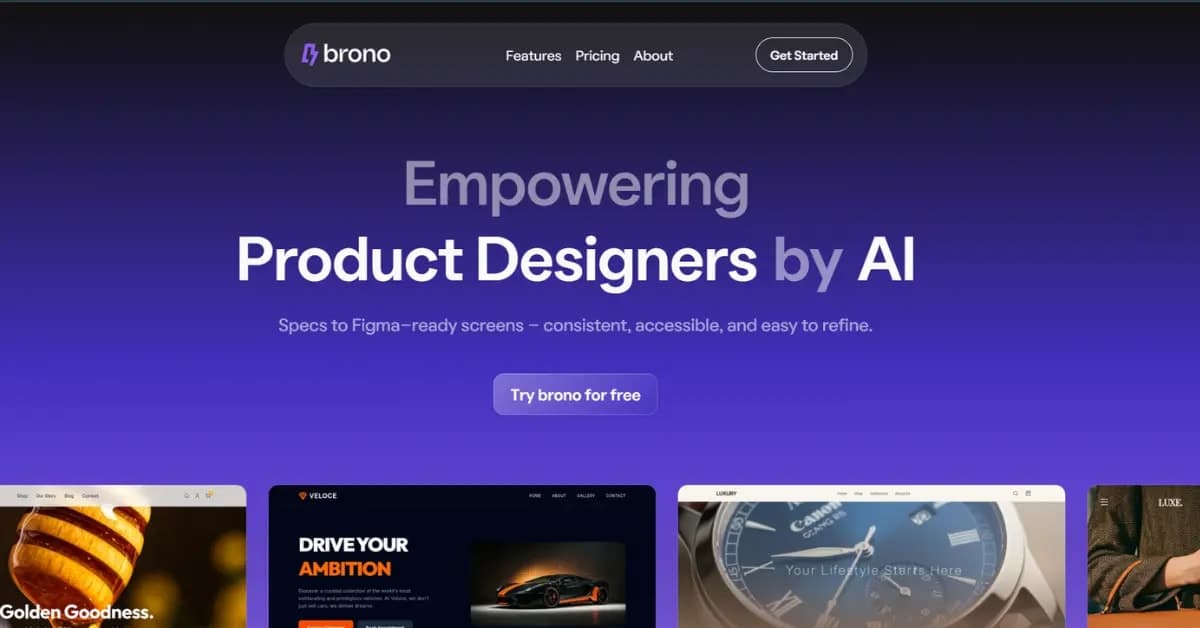
This is exactly where tools like Brono AI aim to do things differently. Instead of just generating surface-level UI, it focuses on designs that are actually usable in real scenarios combining layout generation with UX audits, predictive heatmaps, and iterative improvements. The goal isn’t just to “create a design,” but to help you move forward with something that aligns with how users actually interact with your product.
What This Tool Actually Does
At its core, Brono AI sits between “I have an idea” and “I have a usable interface.” Instead of forcing you to start from a blank canvas or rely on guesswork, it translates rough concepts into structured UI designs that are closer to how real products are built. You begin by describing what you want to create, and the tool generates interface layouts that can be taken further into tools like Figma—making it practical for actual workflows, not just visual inspiration.
What makes Brono more useful than typical AI design tools is the layer beyond generation. It doesn’t just produce screens—it evaluates them. With features like UX audits and predictive heatmaps, it highlights how users are likely to interact with your design and where friction might occur. Rather than giving you a “finished-looking” UI and stopping there, it provides context—why certain sections may not perform well, where attention might drop, and what could be improved before you even start building.
This approach makes it particularly relevant for founders, developers, and small teams who don’t always have access to dedicated designers or UX researchers. It’s not a replacement for deep design expertise, but it significantly reduces the gap between idea and execution—helping you move forward with designs that are not only visually acceptable, but also grounded in usability and real-world behavior.
How to Create a Design with Brono
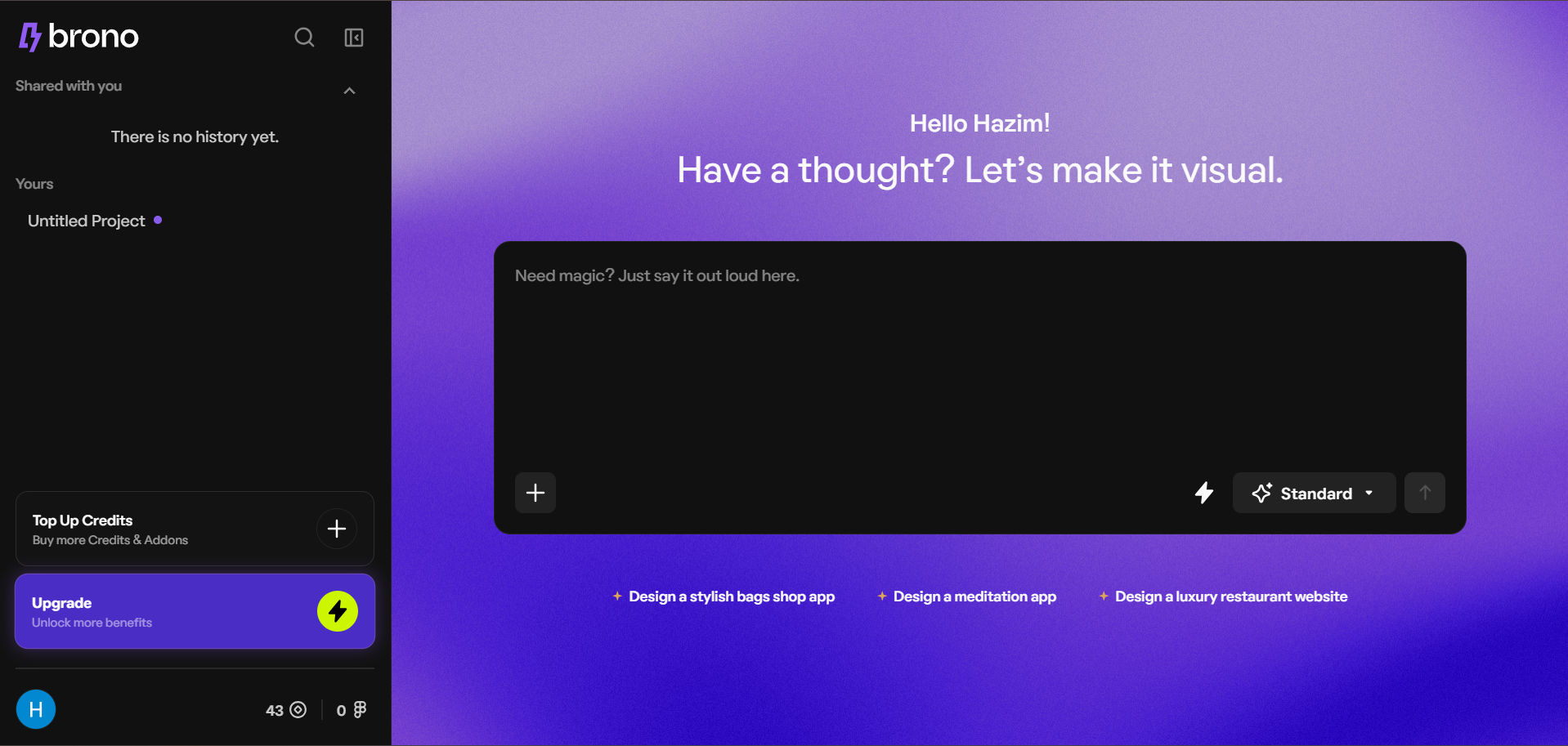
Getting started with Brono AI is straightforward, even if you don’t come from a design background. Once you land on the platform, you create an account and set a basic context about your profession. This helps the tool slightly tailor how it approaches your inputs, but the overall workflow remains simple and accessible.
After logging in, you’re taken to a clean interface with a prompt input. Here’s where the process begins—you describe what you want to build (for example, “a fitness tracker app” or “a SaaS dashboard for analytics”). Based on this input, Brono generates an initial design direction. You’ll typically see options like standard or more advanced modes; the difference mainly comes down to depth and refinement in the output. For most early testing or exploration, even the standard mode provides a solid starting point.
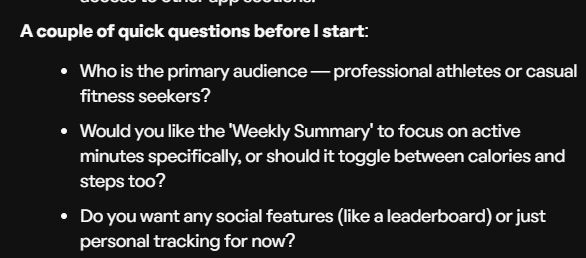
What stands out in practice is what happens next. Instead of just generating static screens, Brono adds an interactive layer by asking follow-up questions related to your project—things like target users, preferences, or specific features. These inputs help refine the output, making it feel less generic and more aligned with an actual use case. Once you respond, the tool iterates and produces a more structured design, including layout decisions, color directions, and overall UI patterns.
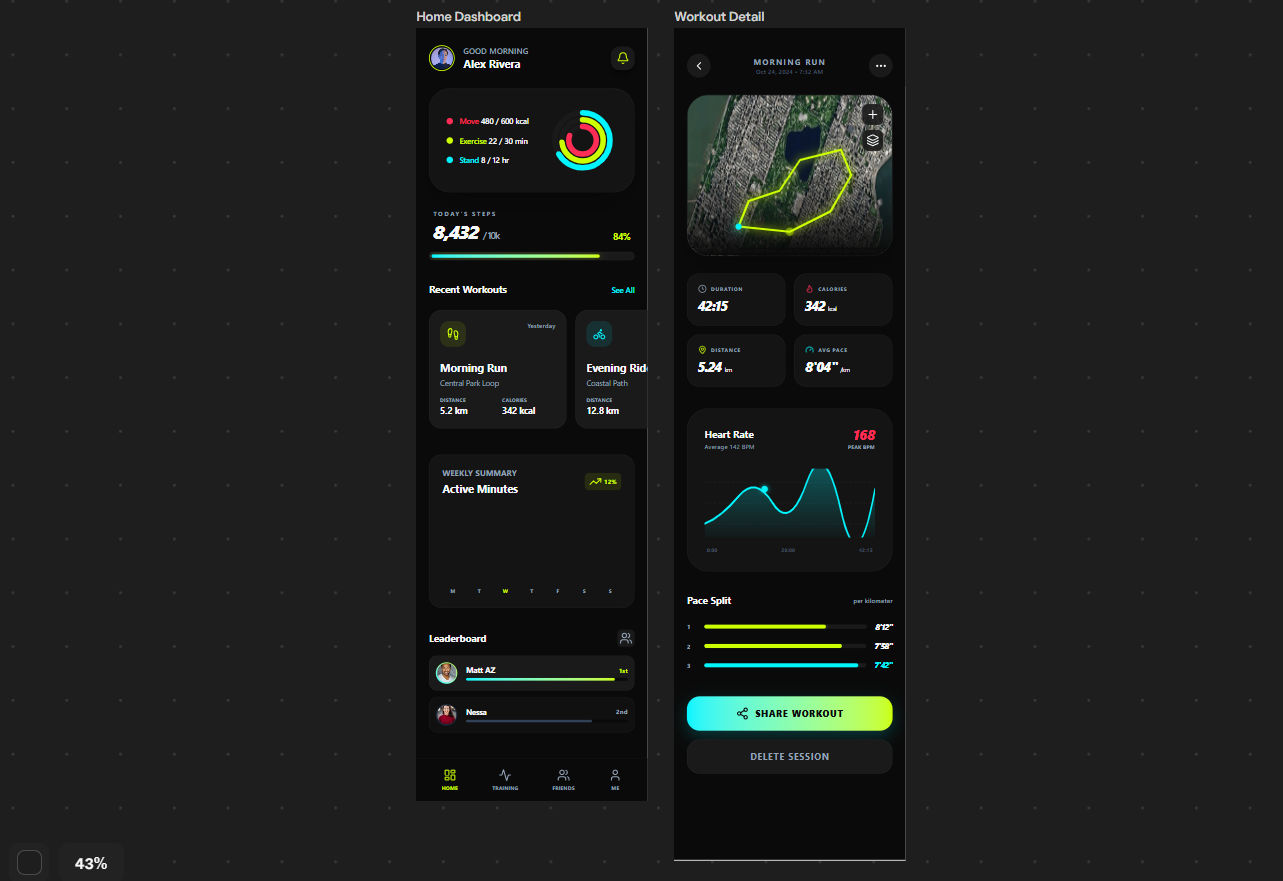
In testing, even with a simple prompt like a fitness tracking app, the results feel noticeably more thought-out than typical “one-shot” AI generators. The output isn’t just visually complete—it reflects a clearer structure that a designer or developer can realistically build upon, which is where the real value lies.
Flexibility in the Design
One practical advantage of working with Brono AI is that it doesn’t lock you into a rigid workflow. While the guided questions can improve the quality of the output, they’re optional—you can skip them if you already have a clear direction and want faster results. This makes the tool adaptable for both exploratory use (when you’re figuring things out) and more defined workflows (when you know exactly what you need).
You also have control over how the design evolves. Brono allows you to incorporate your own assets or references, which helps steer the output closer to your brand or product requirements. If needed, you can switch between different model depths during the process, depending on how much refinement you want in the design.
Beyond initial generation, the tool supports iteration in a practical way. You can request updates to specific parts of the design, expand it with additional screens, or refine certain sections without starting from scratch. This iterative flexibility is important—it aligns more closely with how real product design works, where ideas evolve over multiple passes rather than being finalized in a single step.
What We’ve Seen That Others Don’t Offer
When you test multiple AI design tools side by side, small details start to matter a lot. Many platforms can generate a UI, but very few make that output genuinely usable inside a real workflow. In our evaluation, a few features in Brono AI stood out—not because they sound flashy, but because they solve practical problems that usually slow teams down.
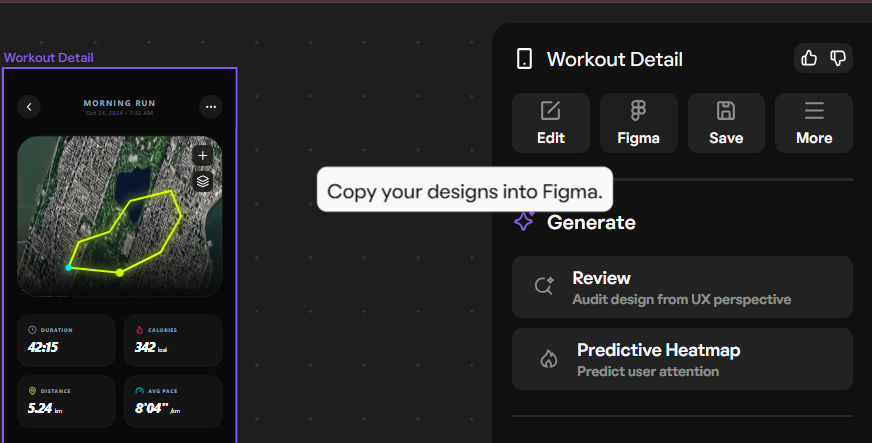
Figma Export
One of the most useful additions is direct export to Figma. Instead of recreating layouts manually, you can take the generated design and move it straight into a tool your team already uses. In practice, this can save hours of repetitive work and makes the output immediately actionable rather than just “inspiration.”
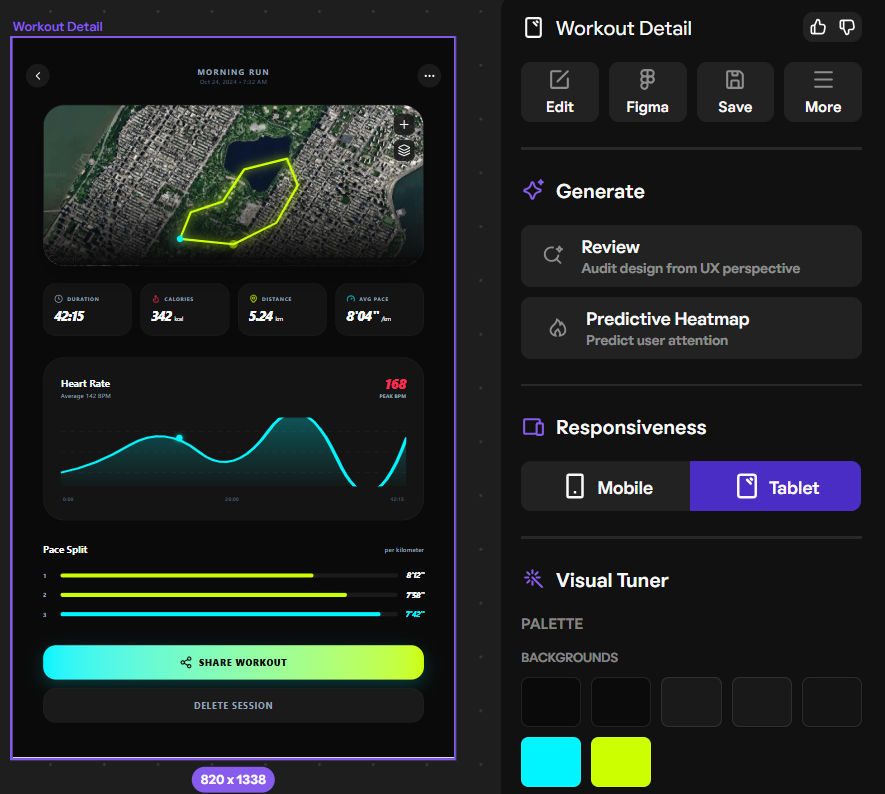
Multiple Screen Views
Designing isn’t limited to a single screen, especially for apps. Brono accounts for this by providing multiple screen perspectives (such as mobile and tablet) where relevant. This gives a more complete picture of how the interface adapts, rather than leaving you to figure out responsiveness on your own later.
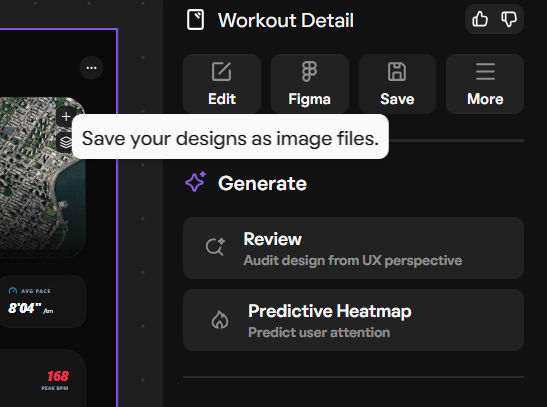
Export as Image
There are situations where you don’t need a full design file—maybe you just want to share a concept quickly or present an idea. Brono supports exporting designs as images, which makes it easier to communicate ideas with teammates or stakeholders without additional steps.
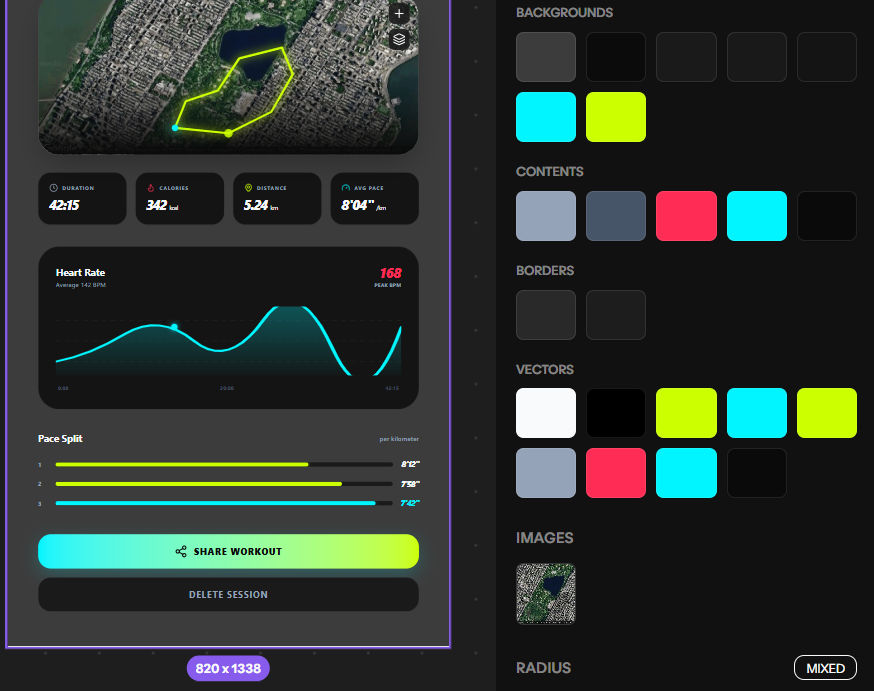
Design Adjustments (Colors & Typography)
Another practical feature is the ability to quickly adjust visual elements like colors and typography. If the initial output doesn’t align with your preferences or brand, you can modify these aspects without regenerating everything from scratch. This level of control helps refine the design faster and keeps the workflow efficient.
Pricing and Transparency
From what we’ve observed, Brono AI keeps its pricing relatively straightforward and accessible compared to many tools in this space. There’s a free tier available, which is what we used for testing the examples above—so the results discussed aren’t based on a paid-only experience. This makes it easier to evaluate the tool without upfront commitment and gives a realistic sense of what you can expect early on.
On the paid side, plans start at around $8/month and go up to $20/month, depending on the level of access and features you need. The differences typically come down to factors like generation depth, usage limits, and advanced capabilities. For individuals or small teams looking to speed up their design workflow without hiring dedicated resources, this pricing sits in a reasonable range.
As with any tool, it’s worth reviewing the plan details directly on their website to understand the exact limits and features included in each tier. But overall, the structure feels transparent—free access for initial testing, with paid upgrades that expand capability rather than locking basic usability behind a paywall.
Our Honest Take
After testing multiple tools in this category, the differences become clearer with actual use not just feature lists. Many alternatives either offer limited functionality or push essential capabilities behind higher pricing tiers. In comparison, Brono AI strikes a more balanced position, combining a practical feature set with pricing that feels accessible for individual builders and small teams.
From our experience, the tool is thoughtfully built. The designs it generates aren’t just visually acceptable they show a level of structure and usability that makes them easier to work with in real projects. Features like iterative refinement, UX insights, and export options add to that practicality rather than feeling like surface-level additions.
That said, it’s not about calling it “perfect.” Like any evolving tool, there’s room for improvement. But when you evaluate it based on what it offers today—especially in terms of workflow support, output quality, and pricing—it stands out as a stronger option than many of the generic AI design tools currently available.
Why You Should Use This
If you often find yourself stuck between having an idea and actually visualizing it, Brono AI can significantly shorten that gap. Instead of spending hours figuring out layouts, structure, and basic UX decisions, you get a starting point that’s already aligned with how real products are designed. This allows you to focus more on building and refining, rather than starting from zero every time.
What makes it worth considering is its practical value in everyday workflows. The designs aren’t just for inspiration—they can be exported, iterated on, and improved with actual context like user behavior insights and layout feedback. For founders, developers, or small teams without dedicated design resources, this can save both time and effort while still maintaining a reasonable level of quality.
Ultimately, it’s not about replacing designers, but about removing the friction that slows down early-stage product development. If your goal is to move faster without completely compromising on design thinking, Brono offers a useful middle ground between raw ideas and usable interfaces.


