As a freelance writer, you want to spend your time actually writing. You want to focus on creating great content, not spending hours filling out spreadsheets or chasing down money.
When you first start out, a basic spreadsheet might be enough. You only have one or two clients, so it is easy to remember who owes you what. However, as you get more clients, that simple spreadsheet quickly turns into a confusing mess. You end up with too many messy columns, broken formulas, and manual updates that take up your precious time.
You soon find yourself wasting hours every single week jumping between different apps. You check your email to see what the client wants, you update a separate task tracker to set a deadline, you open a blank Word document to type out an invoice, and then you constantly refresh your bank account to see if they actually paid you. Doing all of this manually takes up too much time and energy. It drains your daily focus. Instead of doing the creative work that actually pays the bills, you stress over administrative chores.
Draftle is an app made to fix this exact problem. It positions itself as a dedicated business dashboard for freelance writers, and it is designed perfectly for the unique needs of content creators. Because it is built exclusively for writers, the entire workflow feels natural. You don't have to wade through generic features meant for software developers or graphic designers; every button, metric, and tool is specifically tailored to help you write more and stress less.
As someone who understands the real struggles of freelance writing, here is an honest breakdown of how Draftle works, the problems it solves, and why it is a smart choice for your daily workflow.
1. Easy Project Tracking Without the Clutter
Many software tools on the market are built for large teams. They are packed with complex features, drop-down menus, and tagging systems that just get in the way when you are working alone. Draftle removes all of that clutter and keeps things very simple. It respects your time.
When you get a new job from a client, you do not have to jump through hoops to set it up in the system. You just click the blue "+ Add Project" button. The setup screen is purpose-built for a writer's workflow. It asks for:
- The Client Name
- The Content Type (like a Blog Post, Landing Page, Website Copy, or Custom Project)
- The Word Count or Size of the job
- The Project Price ($)
- The Deadline and Current Status
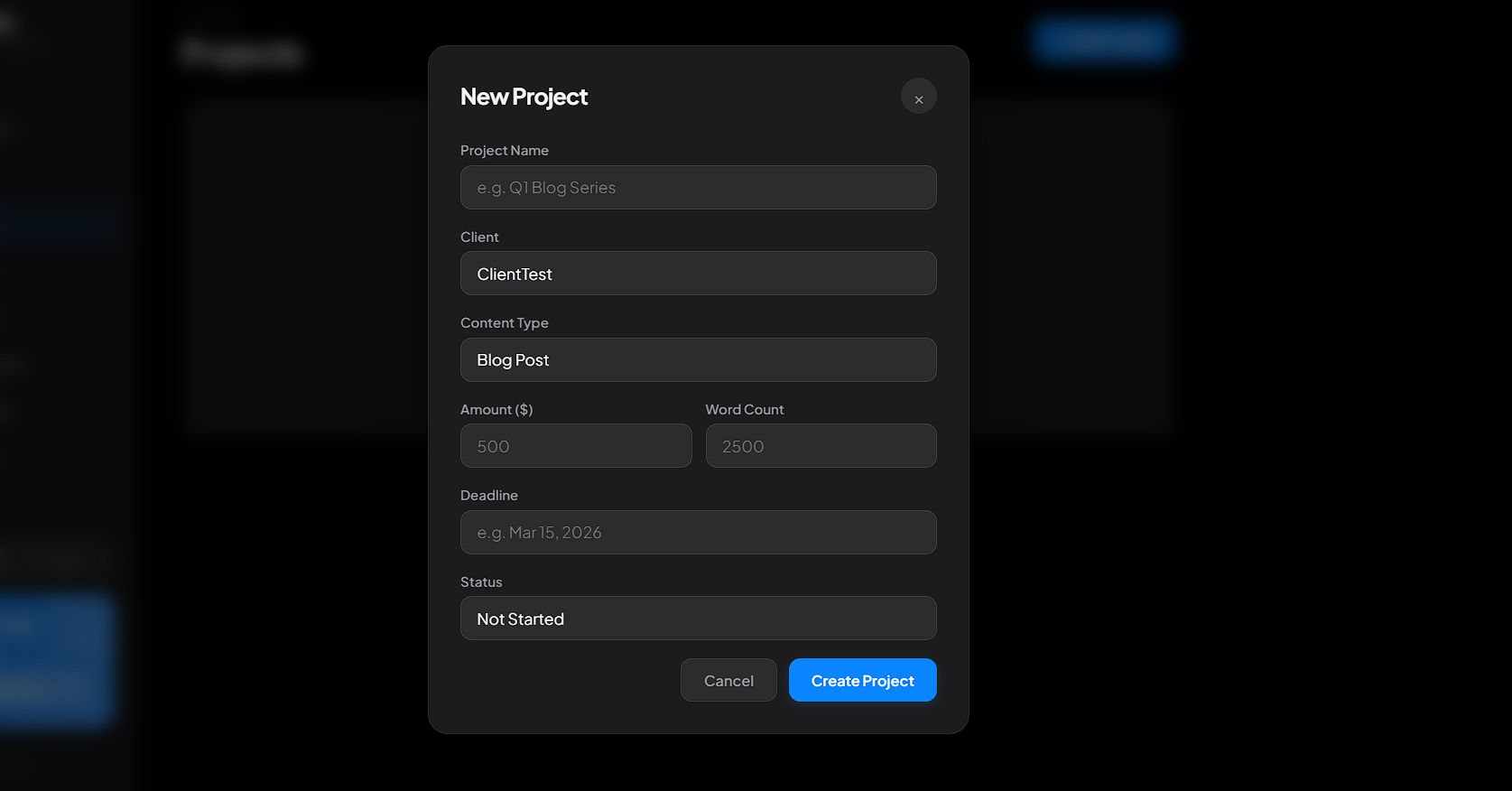 The project creation menu skips the complicated settings and only asks for the details a freelance writer actually cares about.
Once you add your active projects, your main dashboard turns into a clear, visual list of what you need to work on. You can see your progress and exactly how much money is currently in your pipeline at a quick glance. Knowing exactly how much money is coming your way is one of the best ways to reduce financial stress.
Instead of opening different folders on your computer to remember what you are supposed to be doing today, Draftle puts your active tasks right in front of you. You can even switch the entire app between a clean "Dark Mode" and "Light Mode" depending on how your eyes feel that day.
2. Fast Invoicing and Stress-Free Payments
Once the hard work is done, you need to get paid. Getting paid should never be a hard or confusing process, and Draftle makes sure it isn't.
Think about how you probably do it now. You might use a messy template to make a bill. You have to type out the client's name, figure out the date, write down what you did, and do the math yourself to make sure the total is right. Then you have to save it, attach it to an email, and send it off.
Draftle stops all of that extra work. It creates clean, professional invoices for you based directly on the projects you just finished in the app. Because the app already knows what you worked on, the invoice automatically lists the exact work description, the total amount owed, and the due date. You do not have to type it again.
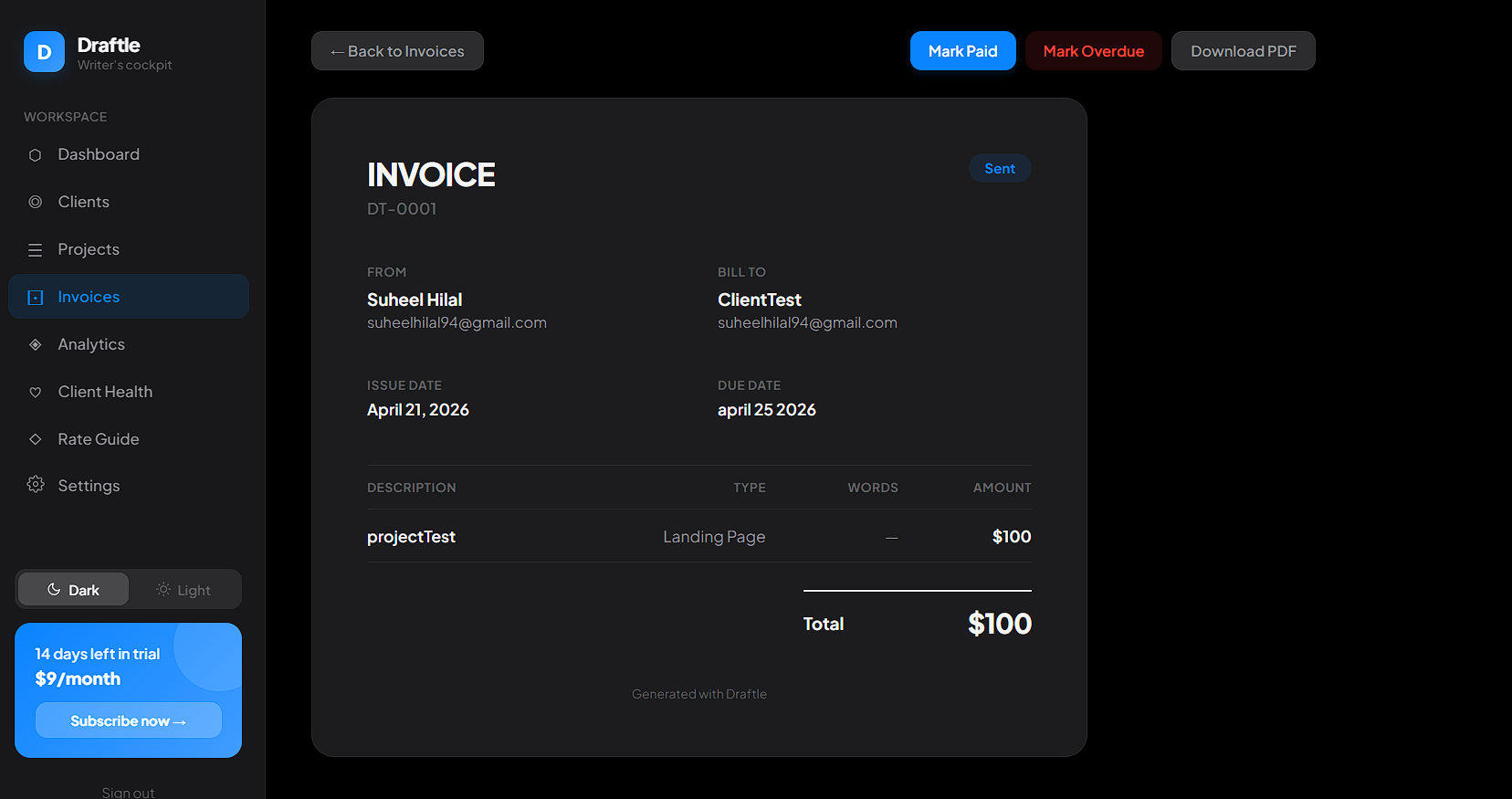 Draftle automatically generates clean, professional invoices using the data from your completed projects.
From the Invoices tab, you can easily download it as a PDF file to send to your client. When the money finally hits your bank account, you just click the blue "Mark Paid" button to keep your records clean and updated. If a client is late, you can hit the red "Mark Overdue" button. This makes it impossible to forget who owes you money.
3. The "Client Health" Feature (The Best Part of the App)
This is the specific feature that makes Draftle much better than a basic spreadsheet. As you do more freelance work, you will quickly learn a hard truth: not every client is a good client. Some clients are a joy to work with, pay on time, and respect your hours. Other clients demand too much extra work, complain about prices, and pay weeks late.
Draftle has a special Client Health screen built into the app to help you manage this. It automatically gives your clients a health score out of 100. It calculates this score by looking at real, hard data, not just your feelings:
- How much total money they bring in for you.
- How many consistent projects they give you.
- If they actually pay their bills on time.
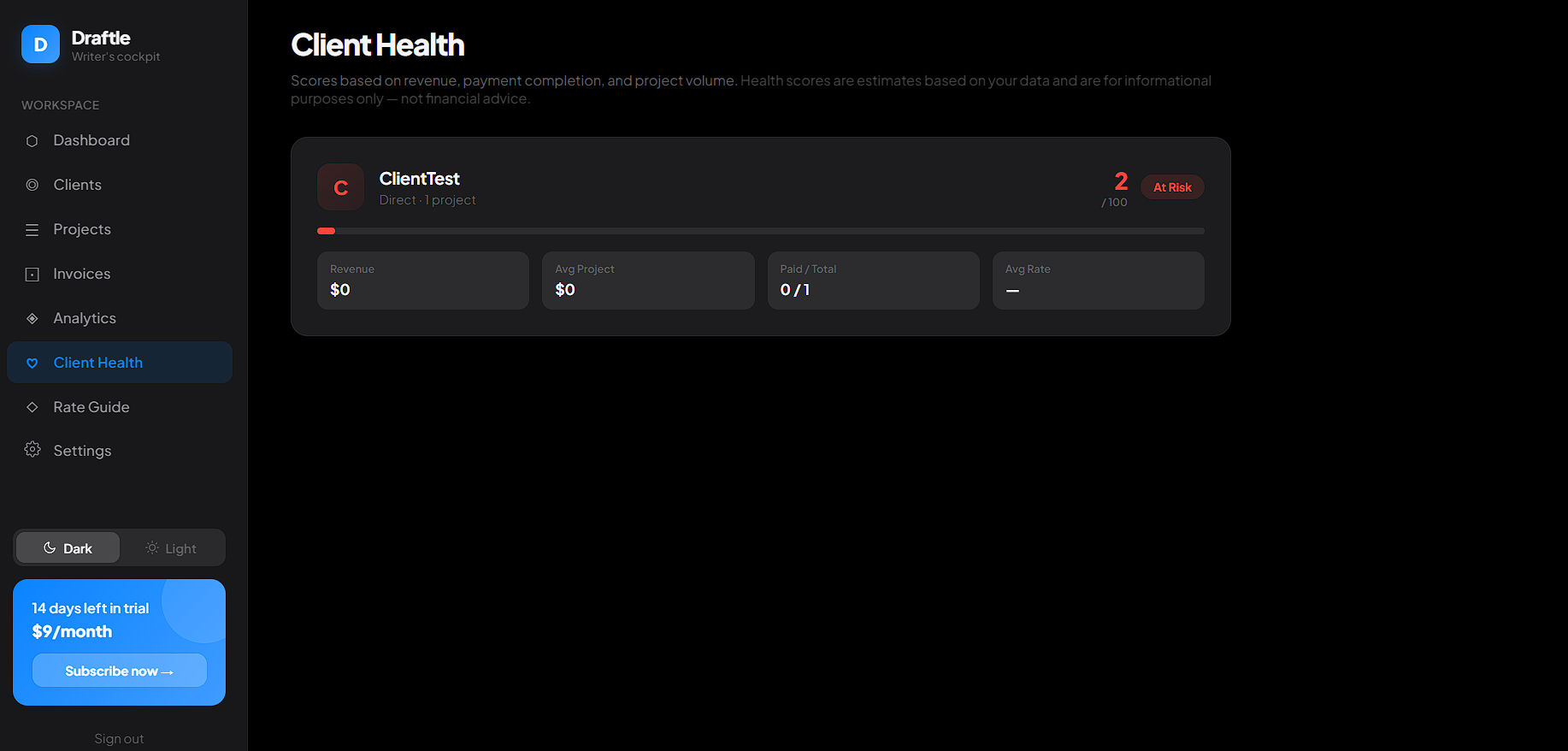 The Client Health dashboard automatically flags problematic clients in red so you know exactly who to drop and who to prioritize.
If a client often pays late or does not bring in enough money for the amount of stress they cause you, Draftle will literally show their score in red and mark them as "At Risk." This takes the emotion out of your work. It helps you quickly see which high-quality clients you should give your best energy to, and which stressful clients you might need to drop so you can find better work.
4. Analytics and Rate Guide (Knowing Your Numbers)
To make a good, steady living as a freelancer, you need to understand your income. But doing math at the end of every single month is tiring, and many freelancers avoid looking at their numbers because it is too confusing.
Draftle has an Analytics tab that turns your paid invoices into easy-to-read visual charts. You do not need to know any complicated formulas. As soon as you mark a project as paid, the dashboard updates automatically. You can clearly see your best-earning months and spot trends in your income.
It also includes a powerful Rate Guide to help you price your services. Whenever a new client emails you to ask for your prices, you do not have to guess if you are charging too much or too little. Instead of just saving your own numbers, the Rate Guide acts as an industry benchmark tool. It compares your rates against real survey data across different content types. This ensures you know exactly where you stand in the market, helping you quote new jobs with total confidence and ensuring you never undercharge for your writing.
5. Why Draftle Beats Spreadsheets and Overpriced Notion Templates
You might wonder why you should pay for an app when tools like Microsoft Excel and Google Sheets are totally free. The simple answer is that your time is worth money.
A spreadsheet is just an empty grid. If you want to use it to manage your work, you have to build the whole thing yourself. You have to update every single row manually and build your own math formulas to track your income. If you make one mistake in a formula, your whole sheet breaks.
Many writers also fall into the trap of buying $30 or $50 Notion templates to run their business. They end up spending their entire weekend configuring the template and months maintaining it. Draftle is the purpose-built alternative to that endless tweaking. There is zero setup and no formula maintenance required. Furthermore, a static template literally cannot replicate dynamic features like the industry rate benchmarks or the automated Client Health scoring without you needing to learn how to code.
Draftle gives you a ready-to-use system on day one. Everything is already connected for you. When a project is done, it turns into an invoice. When the invoice is paid, it automatically updates your Client Health score and your Analytics chart. The app works for you, so you do not have to work for the app.
6. Clear, Fair, and Honest Pricing
Many software tools hide their best features behind expensive plans. They might let you track your projects for free, but then they will charge you $20 or $30 a month just to download an invoice or see your charts. Draftle keeps its pricing very transparent and fair for solo writers.
- 14-Day Free Trial: You get two full weeks to try out the dashboard, add your real projects, and see if you actually like the workflow before paying a single dollar. You can explore every single feature to see if it fits your style.
- Pro Plan ($9 per month): After the free trial is over, it costs a flat $9 a month. This gives you full access to everything in the app. You get unlimited projects, unlimited invoices, the Client Health tracker, the Analytics, and the Rate Guide. There are no hidden fees or confusing price tiers.
Our Final Opinion
If you are a freelance writer who is tired of jumping between different apps, messy folders, and broken templates just to run your daily workflow, Draftle is a fantastic choice. It is a clean, beautiful app that is very easy to learn. You do not need hours of free time to figure out how to use it.
The Client Health score alone makes it worth the $9 cost because it tells you exactly who your best clients are. By weeding out the bad clients, you save yourself hours of stress and frustration. For less than the cost of a few cups of coffee a month, you get a simple, powerful space to organize your tasks, send invoices in seconds, and protect your writing time.
It is time to stop stressing over endless admin work. Start managing your business from a proper, organized dashboard so you can get back to doing the writing you actually love.


