For years, setting up professional email for a custom domain has forced creators and developers into the exact same frustrating model. You buy a domain, wrestle with DNS records, and ultimately pay a massive tech giant a monthly, per-seat fee just to have a functioning inbox. They are designed for large corporate enterprises, not for agile teams and indie hackers.
The Real Problem: The modern developer and founder’s workflow is heavily fragmented across multiple domains and projects. If you want a support@, sales@, and hello@ address across three different startup ideas, you typically have to pay for individual inboxes, constantly switch between different webmail tabs, and manage complex SMTP credentials if you want to integrate email into your app. This constant context switching and administrative bloat drains your wallet and kills productivity. Email should be a seamless, unified hub, but instead, it is a high-friction chore.
InboxMail (useinbox.email) was built to solve this exact problem. It is a private, cross-domain AI webmail platform that completely reimagines how you handle professional communication. By treating unlimited aliases, zero-knowledge encryption, and a robust Developer API as native features—and injecting an on-demand AI directly into the UI—InboxMail eliminates the need to constantly switch apps or pay for heavy, bloated email suites.
Here is an in-depth look at how InboxMail actually solves the domain email workflow problem and the exact step-by-step guide to mastering it.
1. A Next-Generation, Privacy-First Email Stack
Most traditional email providers act as passive, highly invasive storage lockers. InboxMail takes a radically different approach by acting as a highly optimized, unified, and entirely private workspace.
- Alias-First Architecture: Instead of forcing you to create a separate inbox for every address, InboxMail allows you to create infinite aliases across all your custom domains. They all funnel securely into one calm webmail interface, or forward directly to your personal Gmail/Outlook.
- Zero-Knowledge Encryption: Your emails belong to you, not the provider. When you log in, your encryption key is derived directly from your password locally on your device. InboxMail stores the encrypted mailbox data, but they literally do not hold the secret key needed to read your messages.
- Built-in AI Copilot: Instead of copying and pasting sensitive emails into ChatGPT, InboxMail embeds an AI Copilot directly into the composer. It can summarize threads, draft replies, and translate messages on demand, without compromising the platform's strict end-to-end encryption.
2. Step-by-Step User Guide: Mastering Your Inboxes
Because InboxMail consolidates so many domains, routing rules, and developer tools into one application, setting it up is a much more powerful experience than just opening a standard inbox. Here is the exact journey to getting the most out of the platform.
Step 1: Connecting Your Domains
The very first step is bringing your custom domains into the InboxMail ecosystem. The platform makes this entirely frictionless. Once you add your domain, the dashboard provides clear, simple instructions for verifying your MX and TXT records. Once verified, your domain is immediately ready for routing, and you can manage all your different brands from a single dropdown.
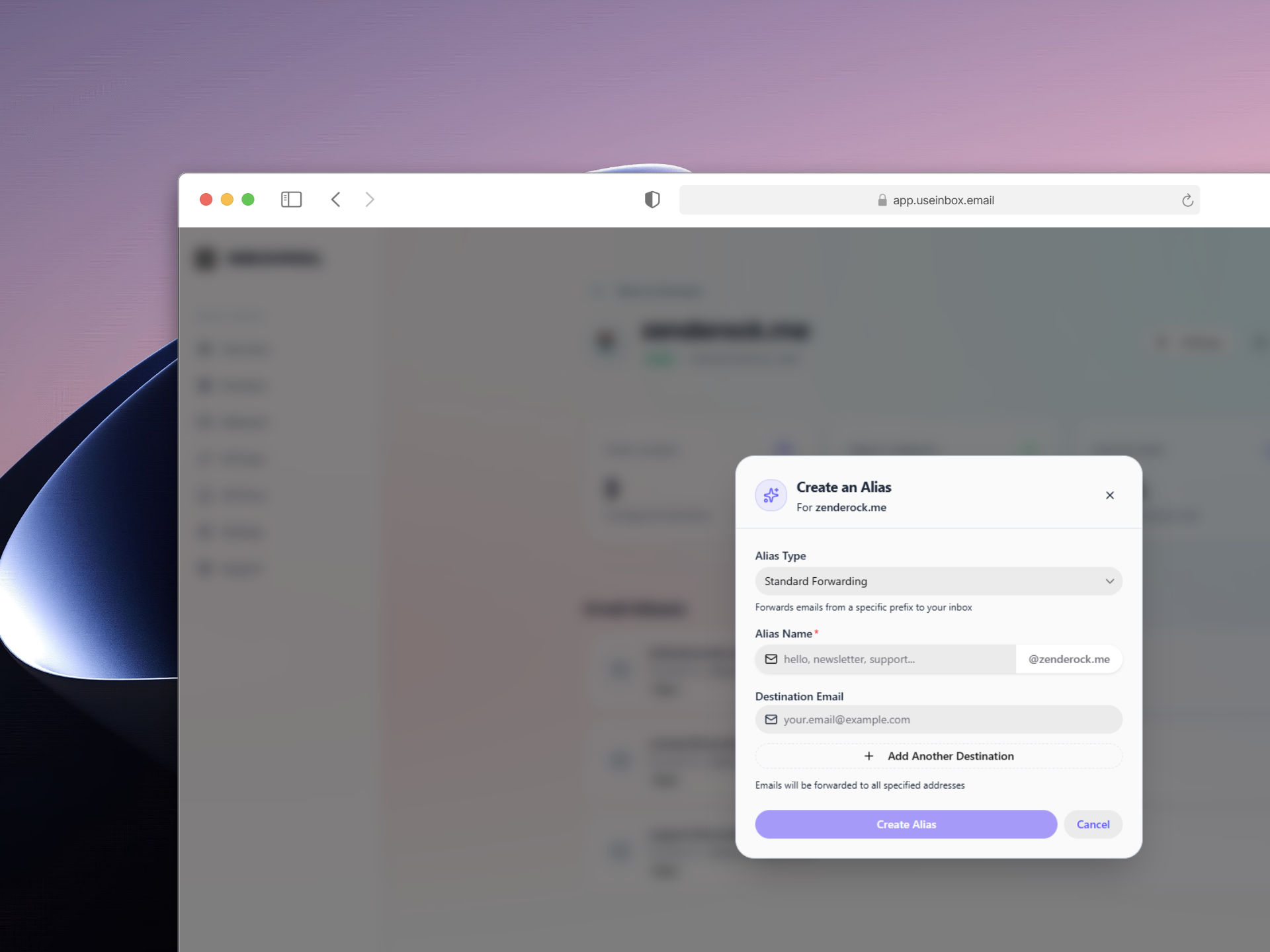
Step 2: Automating Aliases & Reverse Replies
Once your domain is active, you can start building your communication tree without worrying about per-seat costs.
- Infinite Aliases: Spin up
hello@yourstartup.comorinvestors@yourstartup.cominstantly. You can set them to forward to your personal inbox, or route them to a specific queue. - Catch-All Support: Enable a catch-all so that any unmapped address sent to your domain still lands safely in your workflow.
- Branded Reverse Replies: When you reply to a forwarded email, InboxMail utilizes a "reverse alias." This means your reply comes from the professional address, preserving your brand identity and keeping the conversation thread intact without exposing your underlying personal email.
Step 3: Activating the AI Webmail Copilot
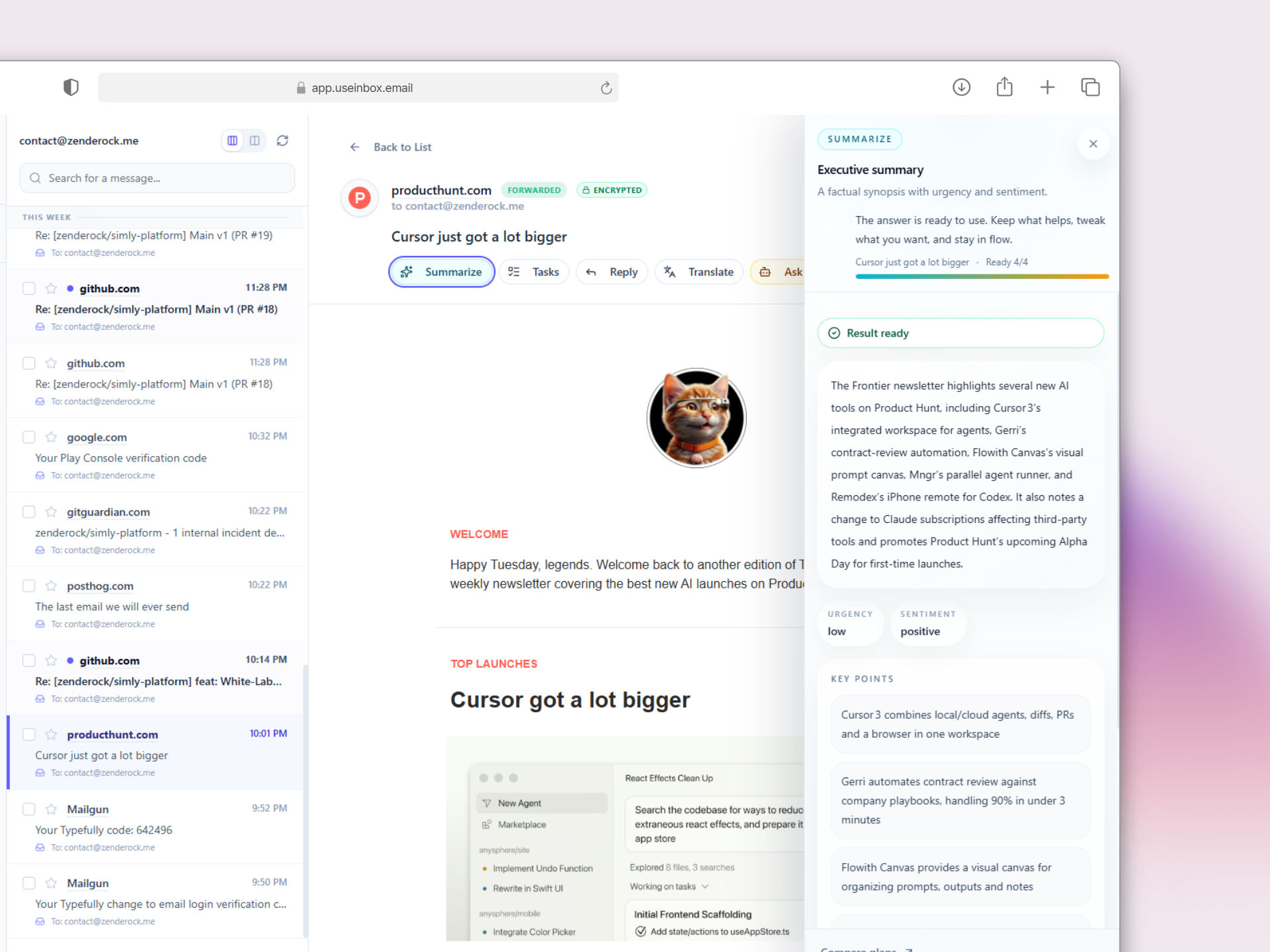
Reading long email chains and drafting responses is where InboxMail truly shines. It brings an AI copilot directly into the webmail interface to eliminate repetitive administrative work.
- Thread Summarization: Open an email and get an instant summary, key points, urgency, and sentiment instead of parsing every line of a 15-message thread.
- Task Extraction: Turn emails into action. The Copilot can extract tasks and spot deadlines before they get buried in your inbox.
- Frictionless Replies: Generate reply drafts, rewrite your text to sound more professional, or translate customer support requests natively without leaving the composer.
Step 4: Connecting Developer Tools (API & Webhooks)
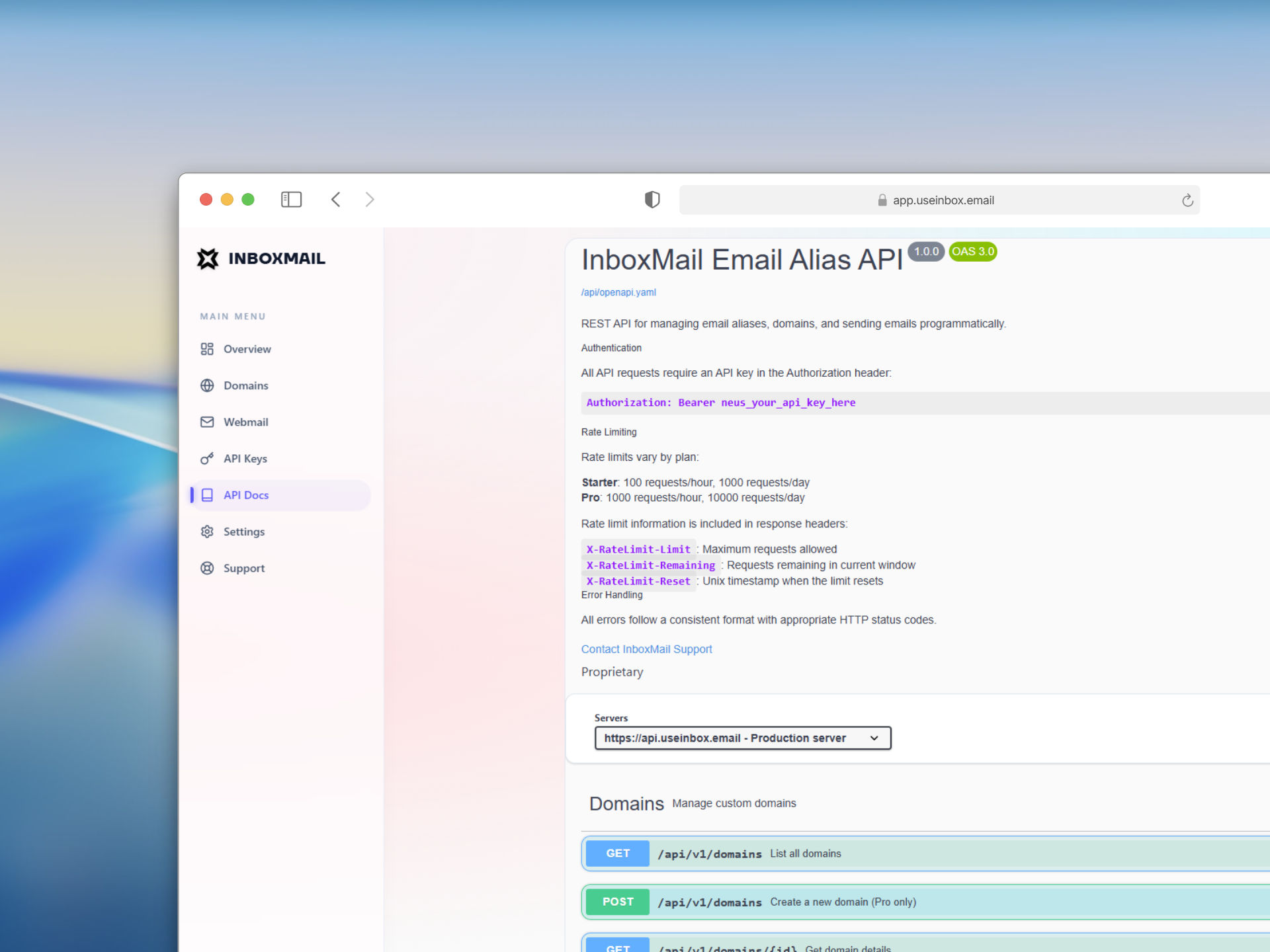
InboxMail brings your backend infrastructure and email routing together. For developers, setting up email flows usually requires building a massive SMTP maze. InboxMail replaces this with a clean, modern REST API.
- Alias Lifecycle Management: You can create, update, suspend, and route addresses directly from your app's backend. When a new user signs up on your platform, your server can automatically hit the
/v1/aliasesendpoint to provision them a unique forwarding address instantly. - Real-Time Webhooks: React to delivery, replies, and routing changes in real-time. You can configure webhooks to fire a JSON payload to your server whenever an event like
message.deliveredoccurs, allowing you to trigger in-app notifications or update your database seamlessly.
Step 5: Inspecting Deliverability via the Console
When email is part of activation or support, quiet failures are disastrous. To solve the "black box" problem of email routing, InboxMail provides a developer console with deep observability.
Instead of guessing if an email arrived, you can open the Delivery Logs. You can inspect exactly what happened, trace the routing metadata, and see the exact latency (e.g., Delivered in 1.2s) to ensure your product flows remain highly reliable.
3. Pricing and Transparent Scaling
Unlike legacy enterprise suites that aggressively lock you into paying $6 to $12 per user, per month, InboxMail utilizes a transparent, flat-rate pricing model based on your domain scale and routing needs.
The Tiers:
- Free (€0/forever): Perfect for individuals. Includes 1 custom domain, unlimited aliases, and standard incoming routing.
- Solo (€6/month): Great for personal brands. Unlocks 3 custom domains, the ability to send via aliases, and basic rules.
- Starter (€12/month): Professional tools for creators. Expands to 10 custom domains, advanced routing rules, and live delivery logs.
- Pro (€30/month): High-volume scale. Unlocks 50 custom domains, priority volume support, and Full API Access for developers to utilize webhooks and automated provisioning.
(Note: Annual subscriptions provide a significant discount, bringing the effective monthly cost down to €4, €9, and €22 respectively).
Our Honest Opinion
InboxMail successfully bridges the massive gap between bloated enterprise email software and complex, developer-only SMTP APIs.
For the average corporate office, standard Google Workspace accounts are fine. But for agile developers, serial entrepreneurs, and privacy-conscious power users, InboxMail is an absolute game-changer. By identifying that inbox fragmentation and privacy loss are the real enemies of modern communication, InboxMail pulls infinite aliases, AI assistance, military-grade zero-knowledge encryption, and a robust API into one incredibly fast, unified interface. It is a massive upgrade for anyone who demands privacy, automation, and efficiency from their email stack.


