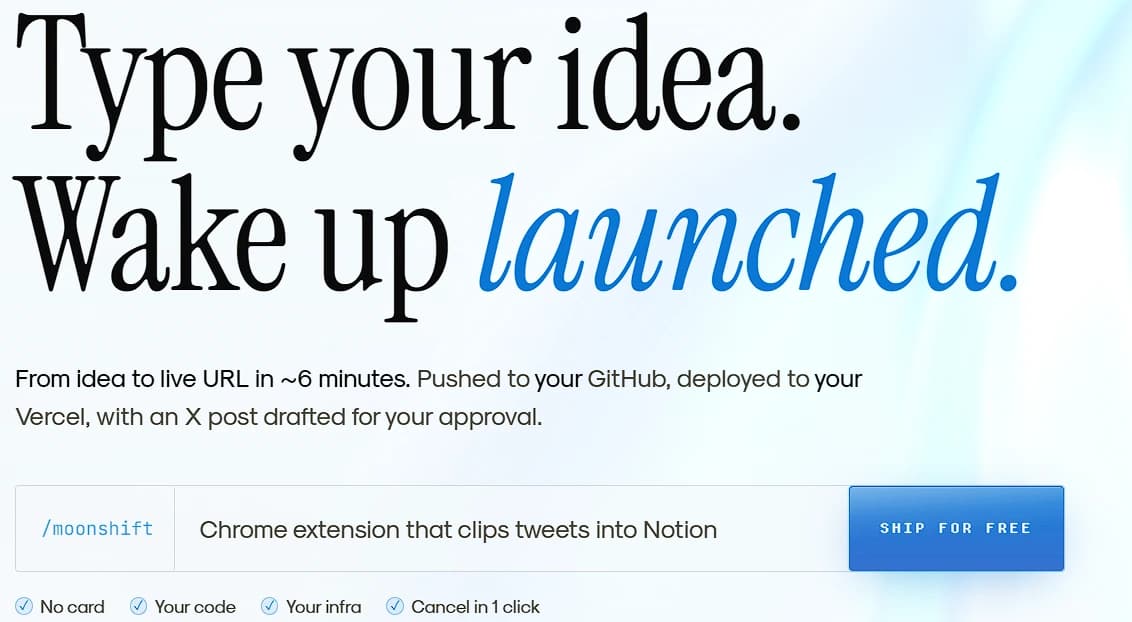
When a software developer gets a new idea for a web application, writing the actual code is usually only a small part of the battle. Before a single user can even see the project, the creator has to set up a database, configure server hosting, test everything for broken links, and figure out how to market the final product. For independent creators, this extra setup work takes hours or even days, causing many great ideas to be abandoned.
Moonshift is a digital platform built to handle this entire routine automatically. Instead of acting as a simple tool that helps you type code faster, Moonshift acts as a fully automated team. It takes a plain-language text idea and turns it into a completely live, functioning website in just a few minutes.
This guide breaks down exactly how the Moonshift platform operates, the specific technology it uses to build websites, and how it handles pricing so that users never accidentally overspend.
1. Moving Beyond Standard Code Assistants
To understand the value of Moonshift, you have to look at how most artificial intelligence coding tools currently work. Most popular tools function like a smart autocomplete. You work inside a code editor, and the AI suggests the next few lines of code. This is helpful, but you are still doing the heavy lifting of building, testing, and launching the application yourself.
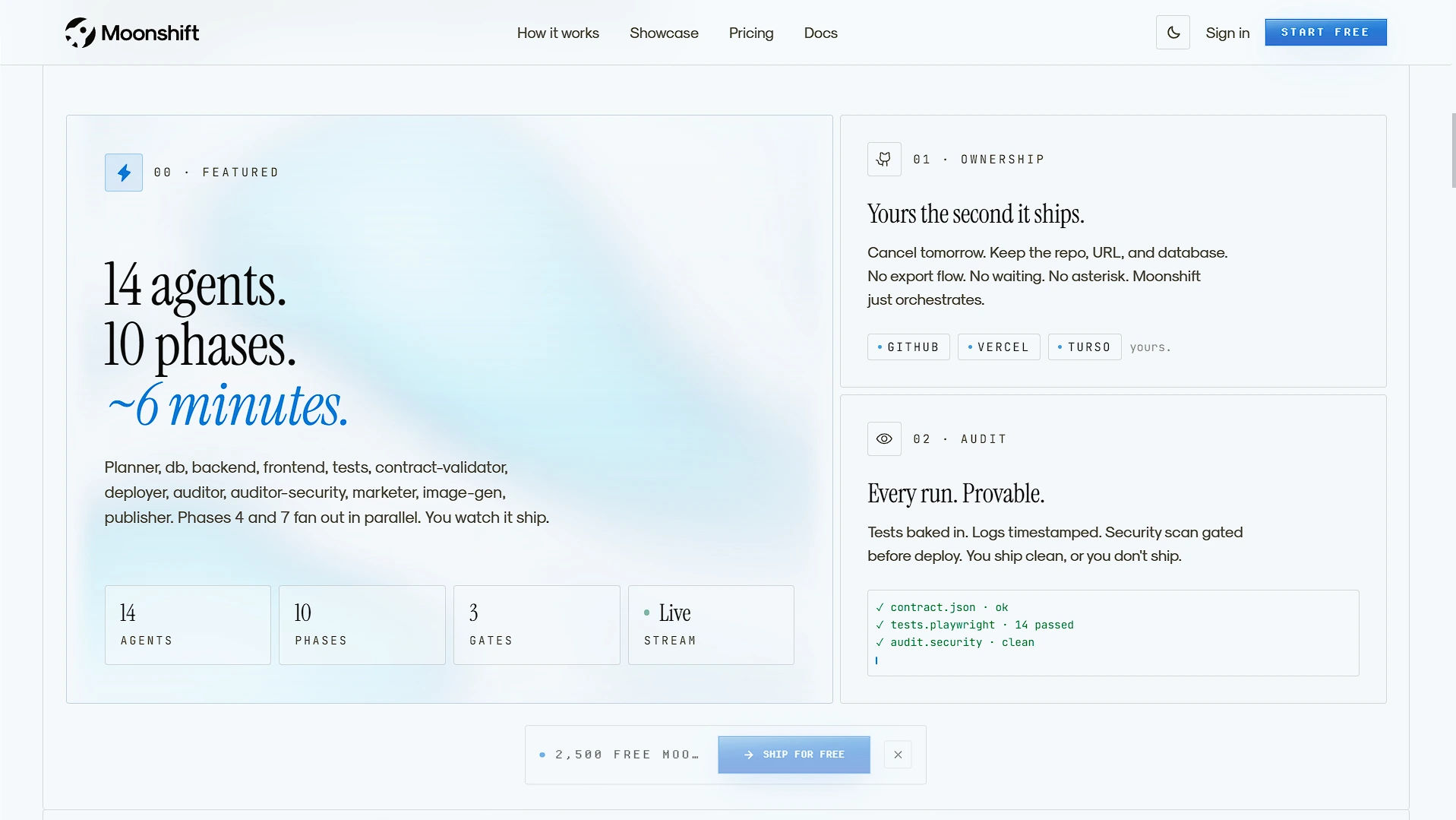
Moonshift operates on a completely different system. Instead of one AI helper, it uses a highly structured team of fourteen separate AI agents working across ten distinct phases.
These automated agents are assigned specific jobs. There is a planner, a database builder, a back-end logic creator, a front-end designer, a software tester, a code contract validator, a deployment manager, a security auditor, an image generator, and a marketing writer. By splitting the work across these fourteen agents, the platform can build an entire application from start to finish without asking you to step in and fix things. According to their logs, the entire process from typing your prompt to getting a live website URL takes an average of six minutes and forty-two seconds.
2. The Three-Step Launch Process
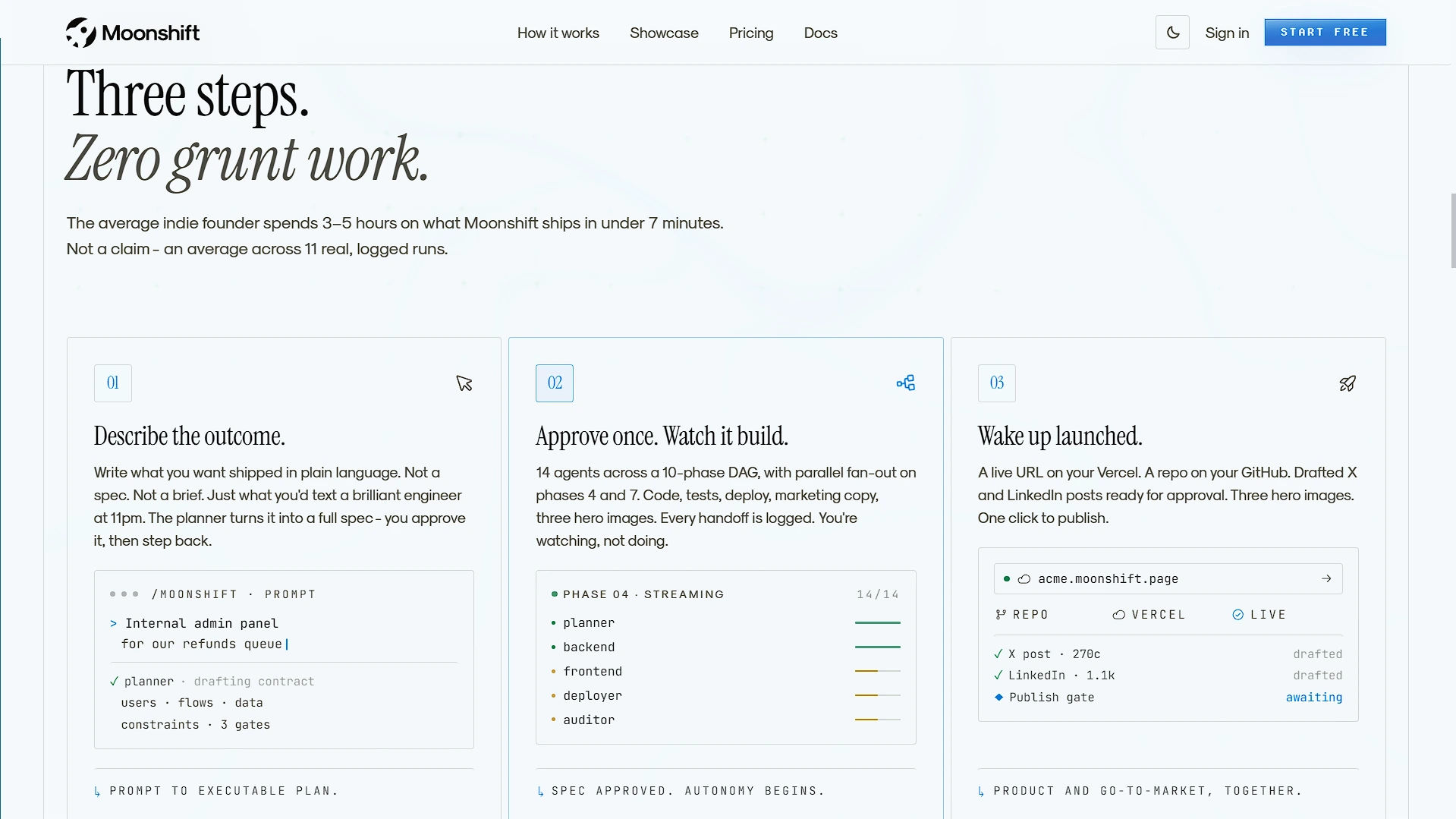
Moonshift removes the complex menus and settings normally associated with building software. The entire creation process is broken down into three very straightforward steps that require almost no technical work from the user.
Step 1: Describe the Outcome You start by typing what you want the software to do in plain, everyday language. You do not need to write a highly technical document. You simply write down your idea the same way you would explain it to a friend in a text message. For example, you might ask for a "habit tracker with color-coded daily streaks and a user history page."
Step 2: Approve the Plan Once you submit your idea, the Planner agent reads it and creates a full, step-by-step building plan. You read over this plan to make sure it matches your vision. Once you click approve, you step back. You can watch the remaining thirteen agents write the code, build the database, and run the tests live on your screen.
Step 3: Wake Up Launched When the agents finish their ten phases, the project is completely done. You are given a live website address, a folder with all of your newly written code, and a set of drafted social media posts ready for you to share.
3. Complete Ownership and Zero Lock-In
One of the biggest risks of using an automated website builder is getting trapped in a closed system. Many tools force you to host your website on their private servers. If you decide to cancel your subscription a year later, they will delete your website, and you will lose all of your hard work.
Moonshift removes this risk completely by following a strict "zero lock-in" policy. The platform does not host your final website. Instead, it acts as an organizer that builds the product and immediately hands it over to you.
When your application is finished, Moonshift pushes the raw code directly to your personal GitHub account. It deploys the live website to your personal Vercel hosting account. It connects the data to your personal Turso database. Because of this setup, everything Moonshift creates belongs to you the exact second it is finished. If you cancel your Moonshift account the very next day, you keep the code, the live URL, the database, and all the generated images.
4. Built-In Testing and Security Checks
When an automated system is writing thousands of lines of code, software safety is incredibly important. A broken website can ruin a launch, and a weak database can lead to security issues. Moonshift handles this by building strict auditing phases directly into its ten-step process.
Before any project is allowed to go live to the public, the platform runs an automated software test using a tool called Playwright. This ensures that the buttons actually click, the pages actually load, and the core features work correctly. A contract-validator agent then checks the finished code against your original plan. After the functional test, an Auditor-Security agent runs a scan to catch any basic vulnerabilities in the code.
If a phase fails one of these tests, the system does not just give up. It attempts to fix the broken code automatically through up to three fixer retries. The software is strictly gated; it will only deploy to the internet if it successfully passes these final quality and security checks. Additionally, every run is fully resumable. If an agent happens to crash in the middle of a build, you can simply hit resume and it will pick up right from the last successful phase, meaning you never waste credits re-running earlier work.
5. The Core Technology Stack and Templates
Moonshift does not build basic, simple landing pages. It is designed to create modern, highly capable web applications using the same technology stack that professional developers use today.
By default, every project generated by Moonshift is built using Next.js 14, Drizzle, and a Turso database. To speed up the building process and ensure the final product looks professional, the platform currently supports nine different starting shapes: ai-app, api-only, content, dashboard, forms, marketing, saas, scheduling, and a generic base. The planning agent will automatically pick the best template based on your initial text prompt. Three of these options (SaaS landing, admin dashboard, and MDX blog) are also available as simple one-click buttons in the menu.
To power all of this, the platform uses a mix of highly advanced language models:
- For Logic and Reasoning: It uses OpenAI’s gpt-5.4-mini and gpt-5.4-nano models.
- For Generating Images: It uses OpenAI's gpt-image-2 model.
- For Writing Code: It uses Anthropic’s claude-sonnet-4-6.
- For Validating Code: It uses Anthropic’s claude-opus-4-7.
Most importantly for privacy, Moonshift is configured so that your personal prompts and ideas are never used to train these third-party models.
6. Automated Marketing and Social Media Drafts
Having a live website is not helpful if nobody knows it exists. The final hurdle for any new software creator is figuring out how to market their product. To assist with this distribution, Moonshift includes a dedicated Publisher agent in its workflow.
Once the application is built and tested, this marketing agent reads the final product and automatically drafts launch announcements. It writes a short, 270-character post designed for X (formerly Twitter) and a longer, highly detailed 800 to 1,300-character post designed for LinkedIn. It also uses an image generation model to create three professional hero images to attach to your posts.
However, Moonshift follows a strict safety rule regarding marketing: the system will never post to your social media accounts automatically. It simply drafts the text and parks it in a specific file (PENDING.json) at a human-approval gate in your dashboard. You always have the final say on what gets published.
7. Iterating and Editing After the Launch
Building software is rarely a one-time event. Even after a successful launch, creators usually need to fix small bugs, change colors, or add entirely new features based on user feedback.
Moonshift allows you to easily edit your project after the first version goes live. Every launch creates a persistent project file. If you want to make a change, you simply type a new message in the "Iterate" tab. The agents will then read your request and make the changes.
To keep your live website safe while they work, the agents write their new code on a temporary scratch branch. Your main, live website is never touched or broken while the AI is experimenting. Once you are happy with the new changes, you can approve them to go live. If you do not like the changes, you can simply revert back to the old version with one single click.
8. The "Moons" Credit System and Pricing
One of the biggest fears people have when using AI coding tools is leaving the tool running and accidentally racking up a massive computing bill. Moonshift fixes this by using a highly transparent, prepaid credit system called "Moons."
A Moon is simply a launch credit. According to the company's recent data, a typical application launch lands between 300 and 850 Moons, which equals roughly $0.30 to $0.85 in actual computing costs. Most importantly, every single run has a strict, hard spend ceiling set before it starts. The system checks your budget between every single phase. If a project is highly complex and the AI gets stuck, the system will abort the run before it overspends. You only pay for what the system actually uses, and unused Moons are refunded. You literally cannot accidentally blow your budget.
To accommodate different types of users, Moonshift offers a clear pricing structure. Monthly plan Moons reset on your billing date, but any extra top-up Moons you buy never expire.
- Free Trial: The platform offers 2,500 welcome Moons for free. This is enough credits to run about three full launches, and you do not even need to enter a credit card to try it.
- Hobby Plan ($19 per month): This plan includes 5,000 Moons per month, giving you enough credits to launch roughly seven projects every month. It unlocks custom domains and uses your own GitHub account.
- Starter Plan ($49 per month): Designed for regular creators, this includes 15,000 Moons per month (around 21 launches). It unlocks the Iterate tab, allowing you to edit and refine projects without running a full new launch. It also includes a helpful scrub and replay feature, a priority build queue, and email support within 24 hours.
- Pro Plan ($99 per month): Built for heavy users, this includes 35,000 Moons per month. It unlocks a special Full-mode agent that uses deeper reasoning for each phase, includes a cinematic landing page agent with no extra fees, provides a higher per-run spend limit, and offers fast human support.
If you ever run out of Moons on your monthly plan, you can simply buy one-time "Pack Top-ups" ranging from $5 to $100, which also come with bonus Moons attached.
Our Honest Opinion
Building a complete, working software product requires managing multiple technical steps at the exact same time. For independent developers, hobbyists, or business owners looking to test a new idea quickly, setting up databases and configuring hosting servers is a frustrating waste of time. Moonshift solves this problem by moving completely past basic code generation and automating the entire deployment routine.
By utilizing a structured team of fourteen different AI agents, the platform removes the technical roadblocks of launching an app. Because it delivers the final, tested code directly to your own GitHub, Vercel, and Turso accounts, it provides a highly practical and secure way to build software without the fear of getting locked into a closed system. Furthermore, the transparent credit system and strict spend limits mean you can experiment with new app ideas without worrying about surprise bills. For anyone looking to turn simple text prompts into fully owned, live applications without the standard setup work, Moonshift is a highly capable, secure, and transparent tool.


