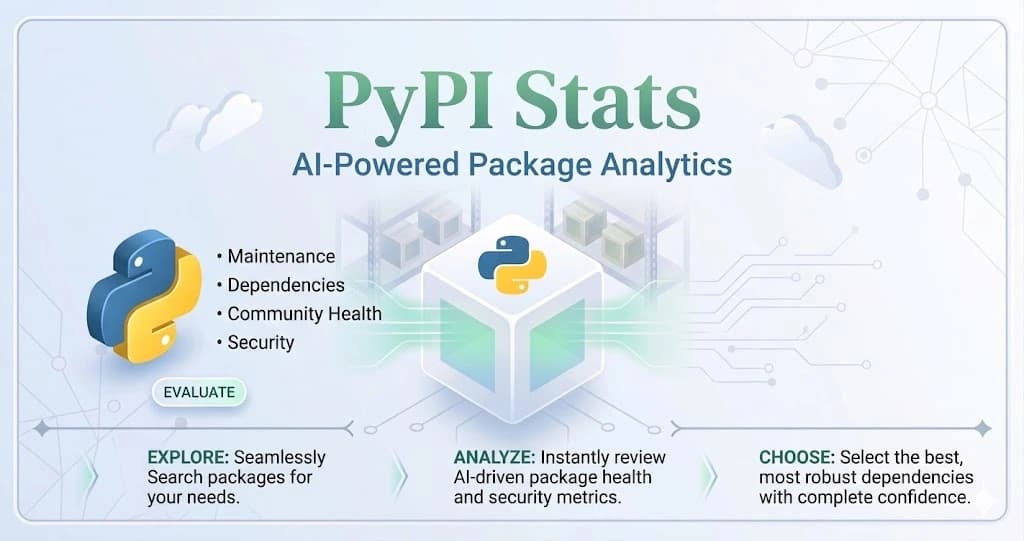
Adding a new package to your Python project can be stressful. You search PyPI, check the GitHub stars, read the docs, and hit pip install. But looking at basic numbers doesn't tell you the whole truth.
Months later, you might find out the package was left behind by its creators, has major security risks, or that its millions of downloads were just fake numbers made by bots. Fixing bad code choices shouldn't take hours of hard work, and guessing which package to use can leave your project at risk.
PyPIStats.com fixes this problem completely. It acts as your AI-powered developer dashboard, giving you live data and expert health checks for any Python package in seconds. Instead of just trusting a README file, you get clear details on real downloads, which versions people are using, and how the community is changing. This lets you stop guessing and start making smart, data-backed choices for your code.
But how does it actually work?
The Best Dashboard for Python Developers
Whether you are a solo developer building a quick project, a team choosing between FastAPI and Flask, or an open-source creator watching your own project grow, PyPIStats.com is built to give you the answers you need.
The platform tracks over 523,000 packages. It goes beyond simple charts by ignoring fake bot downloads to show you real user numbers. It provides full tracking of download trends, AI health summaries, and version details. You can easily spot dying packages, see sudden spikes in use, and find security issues without spending hours searching through GitHub. By showing you what is growing and what is shrinking, it stops team arguments over which library to use and replaces guessing with hard facts.
And the best part is how easily it fits into your day.
Built for How You Work
PyPIStats.com doesn't make you stop what you are doing. It works right where you already code:
- Terminal Access: Don't want to leave your code editor? Just run
$ pip install pypistats-clito check package health and downloads right from your command line. - README Badges: If you have an open-source project, you can easily add badges to your repository to show off your real downloads and health scores to the world.
Ready to make your code safer? The setup takes less time than making a cup of coffee.
How to Check Your Python Setup in 4 Simple Steps
You can go from guessing to having all the facts in just seconds.
1. Make Your Account
Sign up on PyPIStats.com for free. You can quickly use "Continue with GitHub" for instant access. It takes just a few seconds to reach the main dashboard and start making a list of the packages you want to watch.
2. Search and Compare Packages
Type the name of any Python package into the search bar. As you type, the platform quickly finds matching packages for you to review.
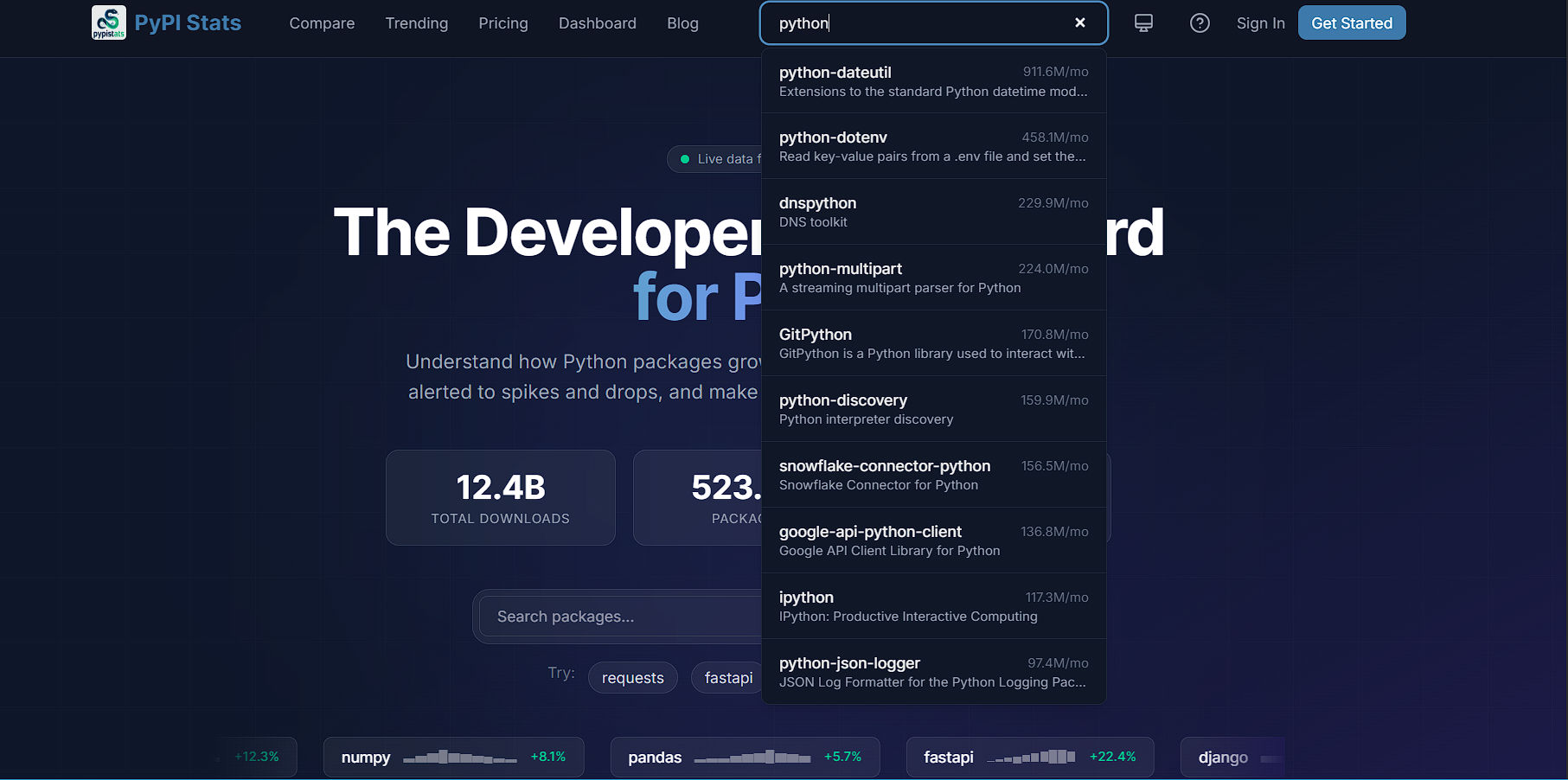
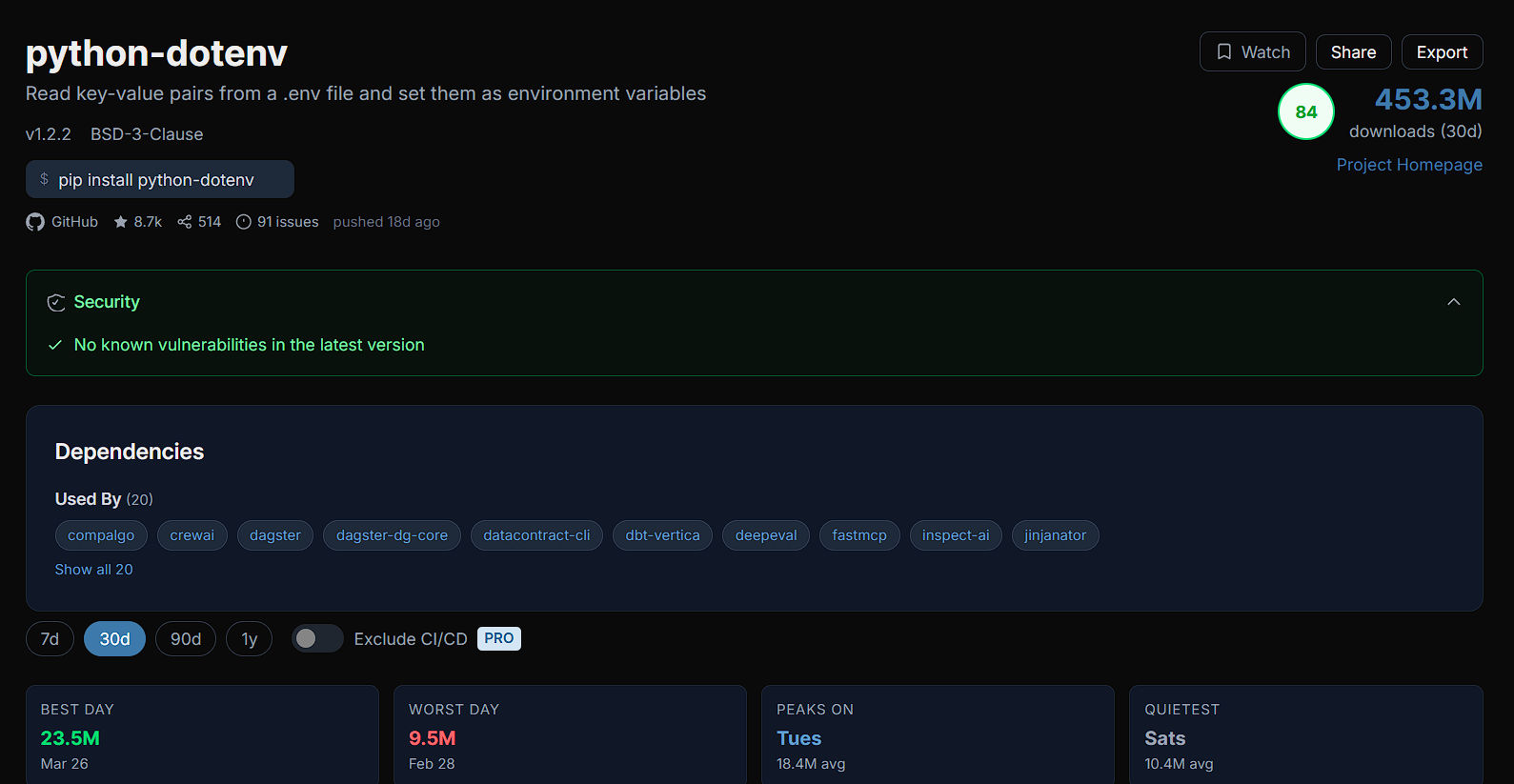
You can select the required package from the search list, and it will instantly give you all the important details, charts, and history about it in one clean view. You can also compare packages side-by-side (like the older requests vs. the newer httpx) to see which one developers actually prefer today.
3. Get AI Advice
Sometimes, charts are not enough. For Pro and Enterprise users, PyPIStats.com uses Claude AI to act as your personal coding expert. The AI analyzes historical data and community activity to write a simple, easy-to-read health summary. You can even ask the AI direct questions like, "Is this still being updated?" or "Why did downloads go up yesterday?"
4. Get Automatic Updates
You don't have to remember to check the website every day. Add important packages to your watch list and turn on smart alerts. You will get weekly reports sent directly to your email, complete with charts, health scores, and an AI note explaining how your packages are doing.

You might be wondering how much a powerful tool like this costs. The good news is that the plans are made to fit everyone.
Simple Plans & Pricing
PyPIStats.com offers flexible, straightforward plans for everyone, from weekend coders to large software teams.
Free Plan
Perfect for testing the waters and doing quick checks.
- $0 forever
- Save 1 package and set 1 smart alert
- Compare up to 2 packages side-by-side
- See 30 days of data history
- 10 API requests/minute
Pro Plan (Most Popular)
Great for regular use and saving hours of research time (Currently heavily discounted to $9/month).
- Save unlimited packages
- Set up to 10 alerts & compare up to 10 packages at once
- 90 days of data history & 60 API requests/minute
- Get full AI health summaries & "Ask AI" features
- Weekly emails with AI notes
- Filter out bot downloads and easily export your data
Enterprise Plan
For heavy users, data analysts, and big teams (Currently $49/month).
- Unlimited saved packages and smart alerts
- 1 full year of deep data history
- 300 API requests/minute
- All Pro AI features included
- Fast, priority support
Our Honest Take: Is PyPIStats.com Worth It?
When looking at PyPIStats.com, it is clear that it offers incredible value, but it helps to know exactly where it shines the brightest.
If you are just starting to learn Python or writing quick personal scripts for fun, the free tier is a fantastic way to explore the Python ecosystem without spending a dime. But if you are building production software, managing backend systems, or launching apps that other people actually rely on, upgrading to PyPIStats.com is an absolute must-have.
Why? Because choosing the wrong package is a silent killer for software projects. It is incredibly frustrating to spend weeks building a feature, only to realize the tool you built it on is completely abandoned or full of security holes. The Pro plan costs just $9 a month right now, but it pays for itself the very first time it stops you from installing a dead package.
We love that this tool does exactly what it promises without any confusing fluff. It acts like a smart, senior developer sitting over your shoulder, gently advising, "Hey, don't use that library, it's dying. Use this growing one instead."
It gives you honest, fast feedback that stops headaches before they happen and turns a weak, risky setup into a strong, modern project you can trust.
If you want true peace of mind, start for free today on PyPIStats.com. Just sign up with your GitHub account, enter a package name, and see the difference right away. You will be amazed at how much easier coding becomes when you stop guessing and start knowing the facts.


