Linux is everywhere. It runs servers, powers cloud infrastructure, supports development environments, and forms the backbone of modern cybersecurity workflows. Yet for many learners, the hardest part isn’t understanding Linux, it’s using it.
Tutorials explain commands. Documentation describes behavior. Videos demonstrate workflows. But when someone opens a terminal for the first time and tries to work independently, hesitation appears. Commands feel unfamiliar. Syntax feels fragile. Confidence drops quickly.
This gap between knowing and doing is where most people struggle. And it exists because command-line skills are not built through observation, they’re built through repetition.
The Learning Problem Most People Don’t Talk About
At EverFeatured, we’ve noticed a consistent pattern while reviewing tools and learning platforms in the Linux ecosystem. Learners often accumulate knowledge but lack operational confidence.
They might know what commands like directory navigation, file operations, and search utilities are supposed to do. But without practicing them regularly, those commands remain theoretical. The moment real work begins, uncertainty follows.
That’s not a failure of effort. It’s a mismatch in learning style.
Command-line proficiency comes from doing, not memorizing.
A Shift Toward Practice-First Learning

Most people don’t struggle with Linux because it’s complicated. They struggle because they don’t get enough time inside a real terminal.
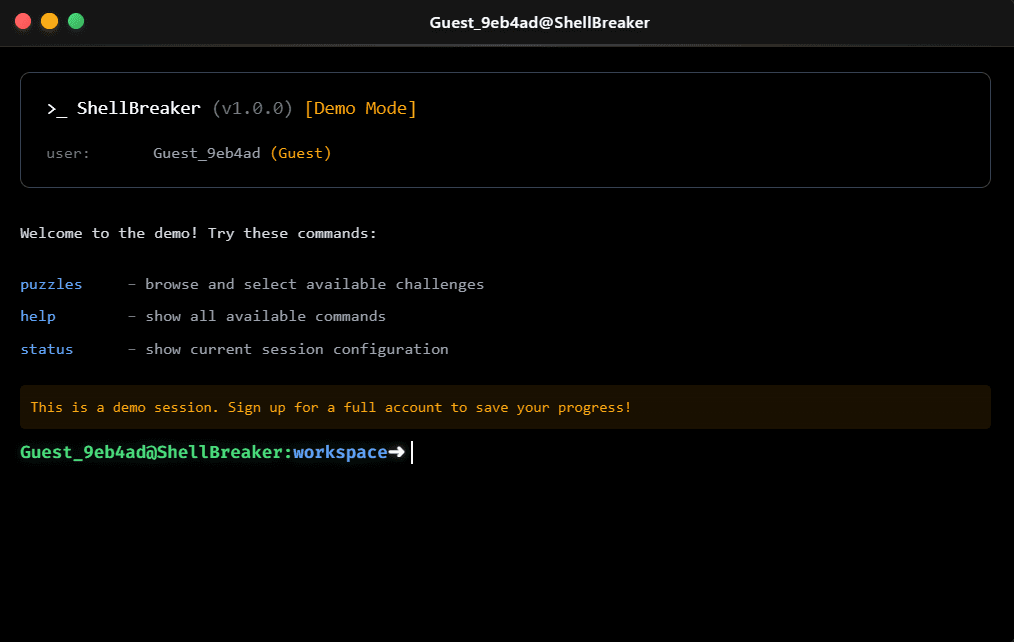
Practice-first platforms change that experience completely. Instead of reading long explanations, learners interact directly with commands. They type, test, adjust, and try again. The learning happens through doing, not watching.
The goal is simple: move from understanding commands to confidently using them.
Over time, commands that once felt confusing begin to feel natural. Familiarity replaces hesitation.
Learning Through Execution

The fastest way to understand how a command works is to use it repeatedly in different situations.
Instead of setting up complex virtual machines or worrying about system damage, users can focus purely on interaction. Each task encourages experimentation and problem-solving in a controlled environment.
The learning cycle becomes straightforward:
- try the task
- run the command
- see what happens
- adjust and repeat
With repetition, learners build real-world comfort. Commands stop feeling like abstract words and start feeling like tools they control.
Why This Approach Works

Traditional tutorials separate explanation from experience. Practice-first environments bring them together.
Instead of memorizing what a command does, users apply it immediately. Mistakes become part of progress. Each attempt strengthens understanding.
Gradually, something important happens. Learners stop asking what a command means and start thinking about how to solve a problem with it.
That shift -- from theory to action -- is where real skill develops.
Who Benefits Most
Beginners gain a safe space to explore without fear of breaking anything. The structure reduces overwhelm and encourages experimentation.
Developers improve efficiency. Faster command recall and familiarity make everyday workflows smoother and less frustrating.
DevOps learners strengthen their foundation. Since infrastructure work depends heavily on CLI interaction, early repetition builds long-term confidence.
Cybersecurity enthusiasts develop essential habits. Many security tasks rely on navigating systems and executing commands precisely. Practice makes that process more comfortable.
The Continuing Importance of Terminal Skills

Linux remains deeply embedded in modern technology. From cloud systems to hosting infrastructure and development pipelines, command-line interaction continues to be relevant.
No matter the specialization, confidence in the terminal creates flexibility. It allows professionals to adapt, troubleshoot, and operate independently.
That adaptability begins with practice.
How to Use a Practice-Based Terminal Platform
Getting started is simple.
First, open the platform in your browser. There is no need to install additional software or configure a system.
Next, begin with beginner-friendly challenges. Focus on understanding how commands behave rather than rushing through tasks.
As you progress, repeat commands in different scenarios. Try small variations. Make mistakes intentionally to see different outcomes.
Finally, practice consistently. Even short daily sessions build familiarity over time.
The more frequently commands are used, the more natural they become.
Where Practice Platforms Fit
Practice-first tools are not designed to replace full production environments. Instead, they serve as a bridge between learning and real-world usage.
They help learners become comfortable before working in live systems. By focusing on repetition and simplicity, these platforms remove unnecessary friction and make command-line growth feel achievable.
And in technical skill development, simplicity often leads to consistency, and consistency leads to confidence.


