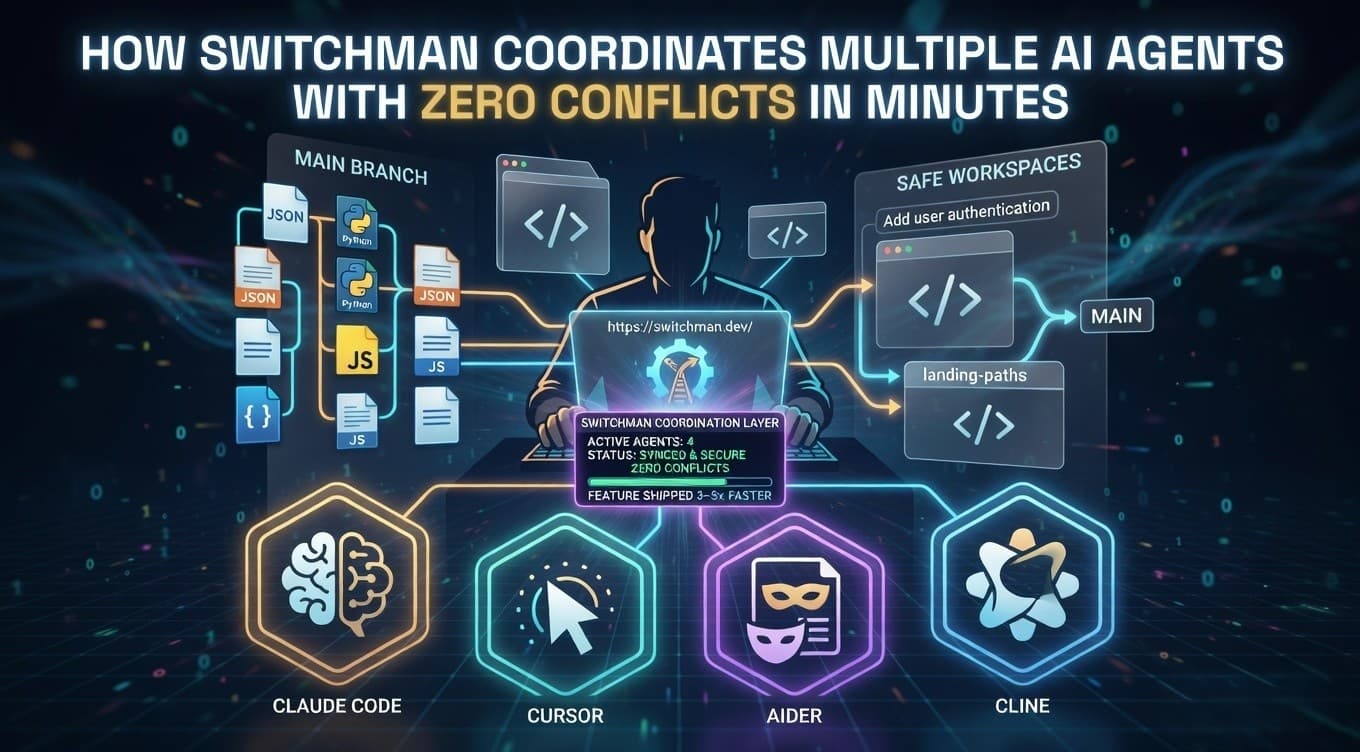
Running several AI coding agents in the same repository used to be a nightmare. You launch Claude Code, Cursor, Aider, and maybe Cline all at once to accelerate development, but within minutes, they start overwriting each other’s files, creating merge conflicts, or drifting into completely different solutions. You end up acting as a human referee, manually resolving conflicts, re-planning tasks, or restarting agents. Sometimes you need a full team or expensive orchestration tools just to keep everything from breaking. Because of this, most developers only dare to use one AI agent at a time, even though multiple agents could finish features 3–5× faster. It feels frustrating when you’ve invested in powerful AI tools but can’t safely use them together. This is a common pain for indie hackers, startup founders, solo developers, and teams who want to harness AI at scale but keep ending up in conflict hell.
Switchman solves this problem completely. It is a free, open-source tool at Switchman that coordinates multiple AI agents in one repository with zero conflicts in minutes. You run one simple command, and Switchman plans the work, creates safe workspaces, prevents file overlaps, tracks progress in real time, and lands changes cleanly. The change is simple. You stop managing chaos between agents and start running multiple AI coding tools safely and productively almost instantly. With Switchman, your multi-agent sessions come to life with clear ownership, live visibility, and safe landing paths that keep your repository clean and your progress steady.
Who Can Use Switchman And What You Can Do
The best thing about Switchman is that any developer or team already using AI coding tools can benefit from it. You do not need advanced setup or a big engineering team. Solo developers, indie hackers, startup founders, small DevOps teams, and even larger organizations experimenting with multi-agent workflows can coordinate agents quickly and for free on local repositories.
Switchman is perfect for everyday multi-agent development. It works natively with popular AI coding tools, including Claude Code, Cursor, Codex, Aider CLI, Cline CLI, Windsurf, and more (with native MCP support). It manages tasks, file claims, status tracking, retries, and safe landing for any shared repository. It creates clear workspaces, blocks overlapping edits early, provides live dashboards, and enforces governance checks for high-risk areas like authentication, payments, or schema changes. It is not just a simple conflict resolver. Its smart coordination layer gives you real control in plain commands. You can run multiple agents on the same goal, track everything in one place, and land changes safely without manual cleanup.
This tool is great for people who build complex features or products — developers adding user authentication, founders shipping new SaaS updates, or teams working on large codebases. It helps you turn a single goal like “Add user authentication” into coordinated work across agents without conflicts or drift. For small teams, it saves hours of manual coordination. For individuals, it makes experimenting with multiple AI tools feel safe and productive. No matter if you are just starting to use AI agents or already run several in parallel, Switchman makes your development process cleaner and more reliable. It supports different AI coding tools and repository types, so whether you work on local projects or shared cloud repos, you can coordinate agents that match your workflow. The system also provides live status updates and summaries, helping your team stay aligned and move faster.
Five Steps to Run Your First Multi-Agent Session
From starting a goal to a safe landing, the whole process takes only minutes.
1. Sign Up
Create an account on Switchman to get started. For the fastest setup, simply select Continue with Google to register instantly.
2. Install Switchman
Install Switchman via npm with one command: npm install -g switchman-dev That’s it. No complex setup, no accounts needed for local use. It works instantly on your machine.

3. Start Your First Session
Run one command to kick everything off: switchman start "Add user authentication" Switchman reads your entire repository, plans the work intelligently, and creates safe, isolated workspaces for each agent automatically. You can also provide a custom plan if you want more control.

Pressing yes (y) in the terminal moves to the next step; pressing no (n) stops the process, preventing the agents from executing.

4. Let the Agents Work with Coordination
Each agent claims the files it needs. Overlaps are blocked early to prevent conflicts. You can watch everything in real time with: switchman status --watch The system handles task assignment, status tracking, retries, and recovery in one place. You get live visibility into what each agent is doing without any manual intervention.
5. Review Progress and Land Safely
Check live status, notifications, and session summaries. When work is complete, Switchman queues changes, runs safety gates (like linting or tests if configured), and lands everything cleanly to main with retries and recovery paths if anything goes wrong. You can intervene at any point or let it finish automatically.
What You Get
You go from a single goal to coordinated multi-agent work with zero conflicts in minutes instead of hours or days of manual fixes. This quick process allows you to run more agents safely, keep your repository clean, and ship features faster — often turning a multi-day task into something you can complete in a single focused session.
The Role of Switchman Coordination Layer
The special part of Switchman is its smart coordination layer. Many setups let agents run wild and create chaos. Switchman keeps everything organized, safe, and visible. It manages file ownership, task alignment, status tracking, and safe landing in one system.
This coordination layer lets you run multiple AI agents quickly without constant oversight. The goal is simple. Turn your multi-agent experiments into reliable progress fast so you can build more and fix less. With Switchman, the system does the heavy coordination for you, making sure every agent works in harmony. It integrates natively with tools like Claude Code, Cursor, and Codex, so your sessions feel seamless and professional, helping you stay ahead in AI-assisted development.
Plans & Free Access
Switchman is completely free and open-source for local use.
Free Forever Plan ($0)
For local repos and real multi-agent use.
- Unlimited local agents
- File locking & lease validation
- Local task queue & MCP integration
- Auto CLAUDE.md generation
- Desktop and Slack notifications
- Read-only session summaries
- One shared cloud project for logged-in users
- Deeper session analysis
- Full planning API
- Expanded team coordination
- 90-day history
Install from npm.
Pro Plan ($19/month)
For shared repos and team-grade control.
- Everything in Free
- Full shared cloud coordination across machines
- Planning API with confidence scores
- Session summaries with counterfactual analysis
- Cloud sync with retry & offline buffer
- 90-day audit and coordination history
- Priority email support
Get Pro at $19/month.
You can start completely free and upgrade only when you need deeper cloud coordination or team features.
Our Honest Take: When Switchman Is the Right Tool
Switchman is a practical and powerful tool for developers and teams who want to use multiple AI coding agents without conflicts or drift. It helps turn ambitious goals into coordinated sessions that are safe and efficient.
It works best for build-in-public creators, founders, and teams who regularly run parallel AI agents on shared repositories. Instead of manual fixes and constant monitoring, Switchman gives you one clean system for everything.
While it is not meant for extremely large enterprise setups with custom governance needs, it does exactly what it promises: helping you coordinate multiple agents with zero conflicts and full visibility.
Start for free today at Switchman. Just install the tool, run your first command, and see the difference instantly. Try it once, and you will be amazed at how smoothly multiple AI agents can work together.


