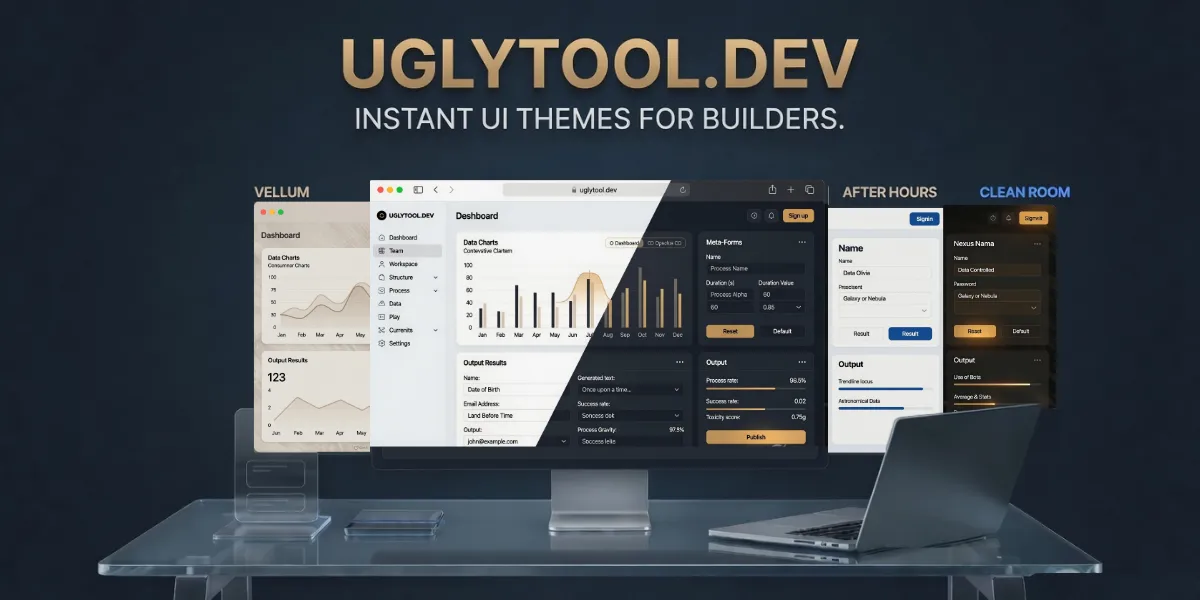
If you are a web developer, you already know the common struggle of building a new project. You spend weeks working on the backend code. You set up the database, ensure the server is fast, configure user authentication, and get all the main logic working perfectly. Your new tool does exactly what it is supposed to do behind the scenes.
But when you finally open your project in the browser, the interface is often lacking.
For developers who just want to launch their projects and get them in front of users, fighting with CSS, flexbox, and modern website design is a time-consuming hurdle. You likely do not want to spend hundreds of dollars hiring a graphic designer for a weekend project or a utility tool. At the same time, a poor interface can prevent people from trusting or using your application if the buttons are broken, the text is hard to read, or the layout is confusing. First impressions matter.
This is the exact problem UglyTool aims to solve. As their tagline states: "Your tool works. It just looks ugly."
UglyTool is a service that takes basic web apps and wraps them in professional designs. You do not need to upload your source code, learn a new programming language, or navigate a complicated setup. You simply get a styled website in a matter of seconds. In this review, we will look at how UglyTool works, test it on an active project, and see if it is worth using.
1. How UglyTool Works Without Touching Your Code
One of the biggest advantages of UglyTool is its simple setup. The process has very little friction, meaning you can test it without getting stuck in documentation.
When you land on their main website, you do not need to sign up for an account, and you do not need to connect your private GitHub repo or upload any backend code. They only interact with the frontend of your website that the user actually sees. This is a practical approach for developers concerned about the security of their source code.
Instead of writing new code, you copy the public URL link of your working tool and paste it into their search bar. It works well with standard HTML websites, as well as Gradio and Streamlit applications, frameworks that are popular with data scientists and AI builders who want to deploy tools without building custom UIs from scratch.
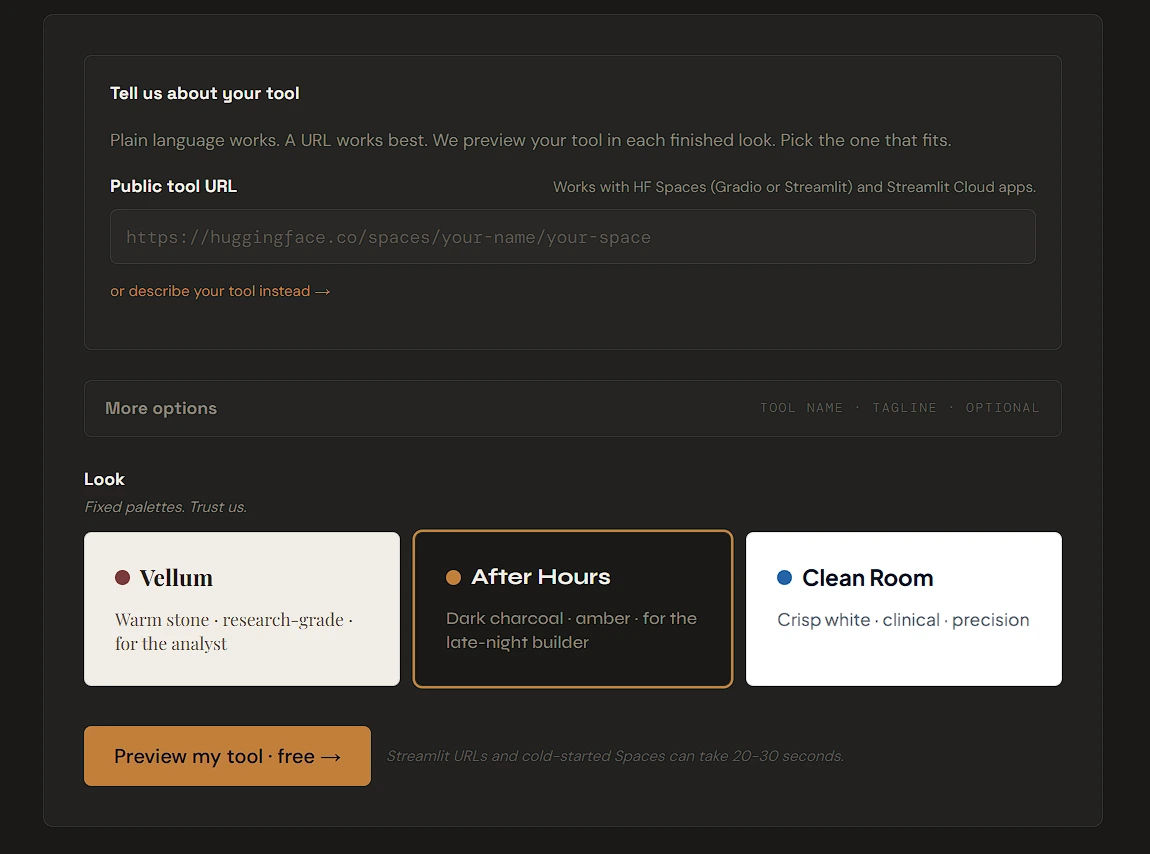
Once you paste your link and press enter, UglyTool’s engine scans the public face of your website. It maps your input boxes, buttons, dropdown menus, and text fields. In a few seconds, it generates a live preview of your application wrapped in their custom CSS. You can see what your app will look like before you need to make a purchase.
2. The Three "Finished Looks" You Can Choose From
While many website builders overwhelm you with thousands of templates and endless color settings, UglyTool takes a minimalist approach. It offers just three fixed design styles. You review the options and select the one that fits your project.
- Vellum: Described as "Warm stone • research-grade • for the analyst." It has a natural, readable aesthetic using light beige backgrounds and classic fonts. It is a great fit for text-heavy applications, reading tools, or educational platforms that benefit from a welcoming, document-style design.
- After Hours: Described as "Dark charcoal • amber • for the late-night builder." This is a sleek dark mode design with high contrast between a moody background and glowing amber text. It works well for developer tools, crypto dashboards, or technical software designed for users who prefer darker interfaces.
- Clean Room: Described as "Crisp white • clinical • precision." It is a modern, sharp interface that utilizes plenty of white space and straight lines. It is unobtrusive and straightforward, making it an ideal choice for medical calculators, financial data tools, or dashboards where the numbers need to be the primary focus.
By limiting the options to three polished themes, you avoid the decision fatigue of acting as a designer and can move straight to launching your project.
3. A Real-World Test: Styling an Active Web App
To test if UglyTool could handle a custom interface, we plugged in an active web project: EliteTyping, a real-time multiplayer typing game platform.
Building a real-time backend system with complex game logic takes significant effort, leaving little time for frontend polish. We wanted to see how the engine would handle an interface with multiple interactive elements, including text boxes, dropdown menus, and user input areas. We pasted the EliteTyping link into the engine and selected the Vellum theme.
The engine handled the transition surprisingly well. Without touching a line of CSS, UglyTool understood the layout. It recognized the main title and preserved the summary text. It also seamlessly redesigned the interactive dropdown menus used to select the "Test Mode" and "Difficulty" levels.
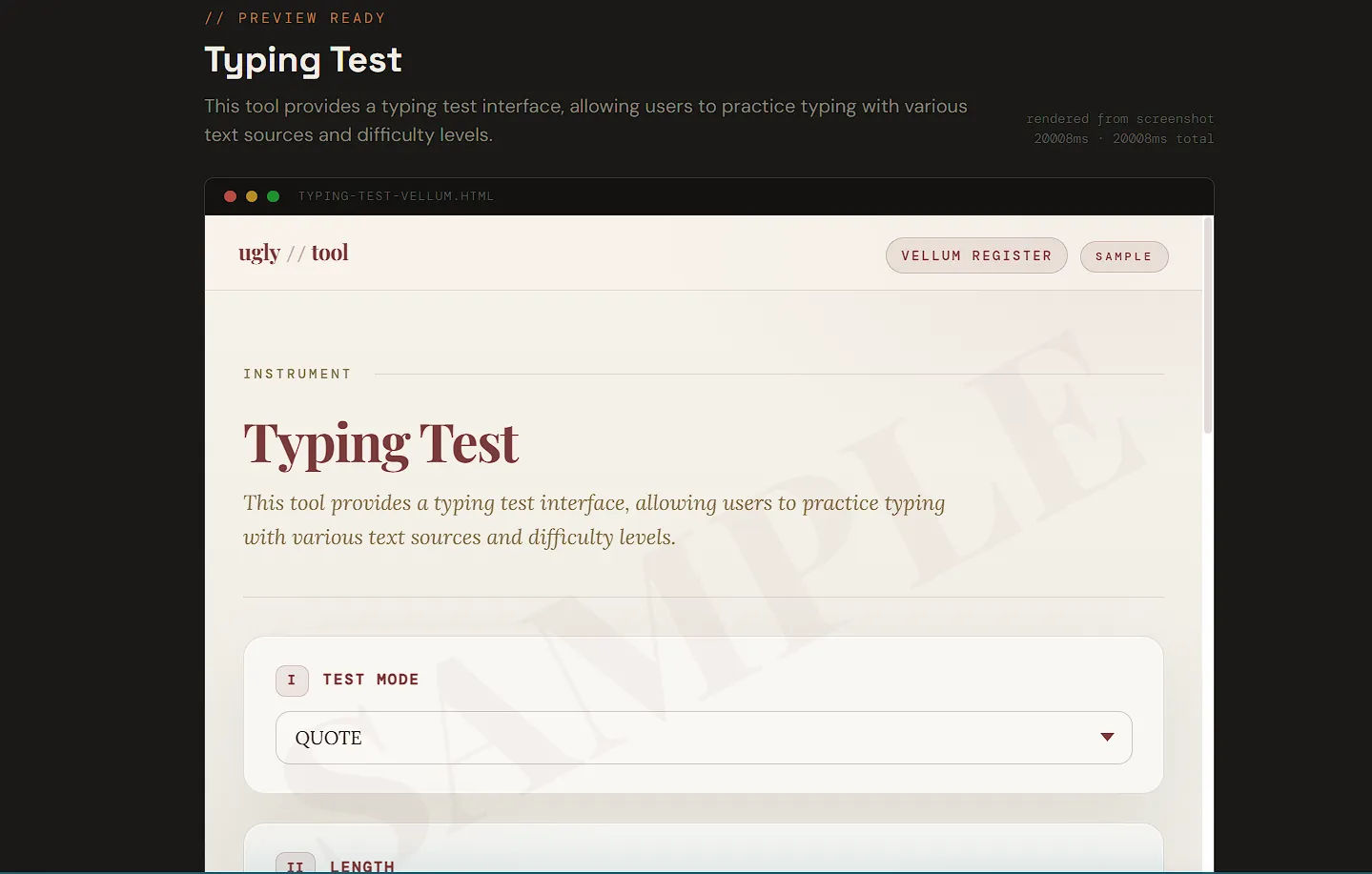
Smaller details were also mapped accurately. The checkboxes for "Focus Mode" and the main text area where the user types were smoothly integrated into the Vellum design. The engine successfully found and styled all input boxes and output areas without breaking the underlying layout.
It took a basic interface and effectively upgraded it to look like a premium educational tool with zero manual coding required.
4. Transparent, One-Time Pricing (No Subscriptions)
Many modern developer tools rely on monthly subscription fees. Paying recurring charges just to maintain a UI can be frustrating, especially for solo developers or indie hackers managing multiple small projects.
UglyTool takes a different approach by using a strict one-time pricing model. There are no subscriptions and no ongoing per-tool fees. You pay once and own the asset.
They offer four clear options:
- Free preview ($0 forever): You can generate unlimited on-site previews of your tool rendered in all three looks for free. You can also download a watermarked sample HTML file to test how the code drops into your project before buying. No account is required.
- One look ($19 one-time): You can purchase a single theme (e.g., the Vellum theme). For $19, you receive the clean HTML file with watermarks removed and a short README with drop-in instructions. You can use this CSS theme on any tool you build, indefinitely.
- Catalog pass ($39 one-time): This is the recommended option for developers building multiple tools. For $39, you unlock all three looks (Vellum, After Hours, and Clean Room) for a lifetime. If you previously bought a single look, you can upgrade to the pass for $20. This pass also grants eligibility to purchase seasonal drops.
- Seasonal drop ($9 per drop): Available strictly to Catalog Pass holders. UglyTool occasionally releases limited-time looks. Catalog holders can purchase these exclusive themes for $9 during their specific release windows.
When you complete a purchase, you receive the customized HTML file you previewed and the CSS theme file. You drop the CSS file into your existing project folder and link it in your code. Your backend logic remains untouched while the frontend is updated.
Final Verdict: Is UglyTool Worth It?
If you are a frontend developer who enjoys writing CSS, customizing breakpoints, and having granular control over every pixel, this tool is likely not for you.
However, if you are a backend engineer, a solo founder, or a builder focused on data tools, games, or calculators, UglyTool offers great value at $19.
It removes the friction of web design, allowing you to focus your energy on your application's core functionality. You can build your backend tools efficiently, knowing that a professional UI is easily accessible via a simple drop-in file.
Instead of launching tools with subpar interfaces, you can use UglyTool's free preview to see how your project looks with a polished, ready-to-use design.


