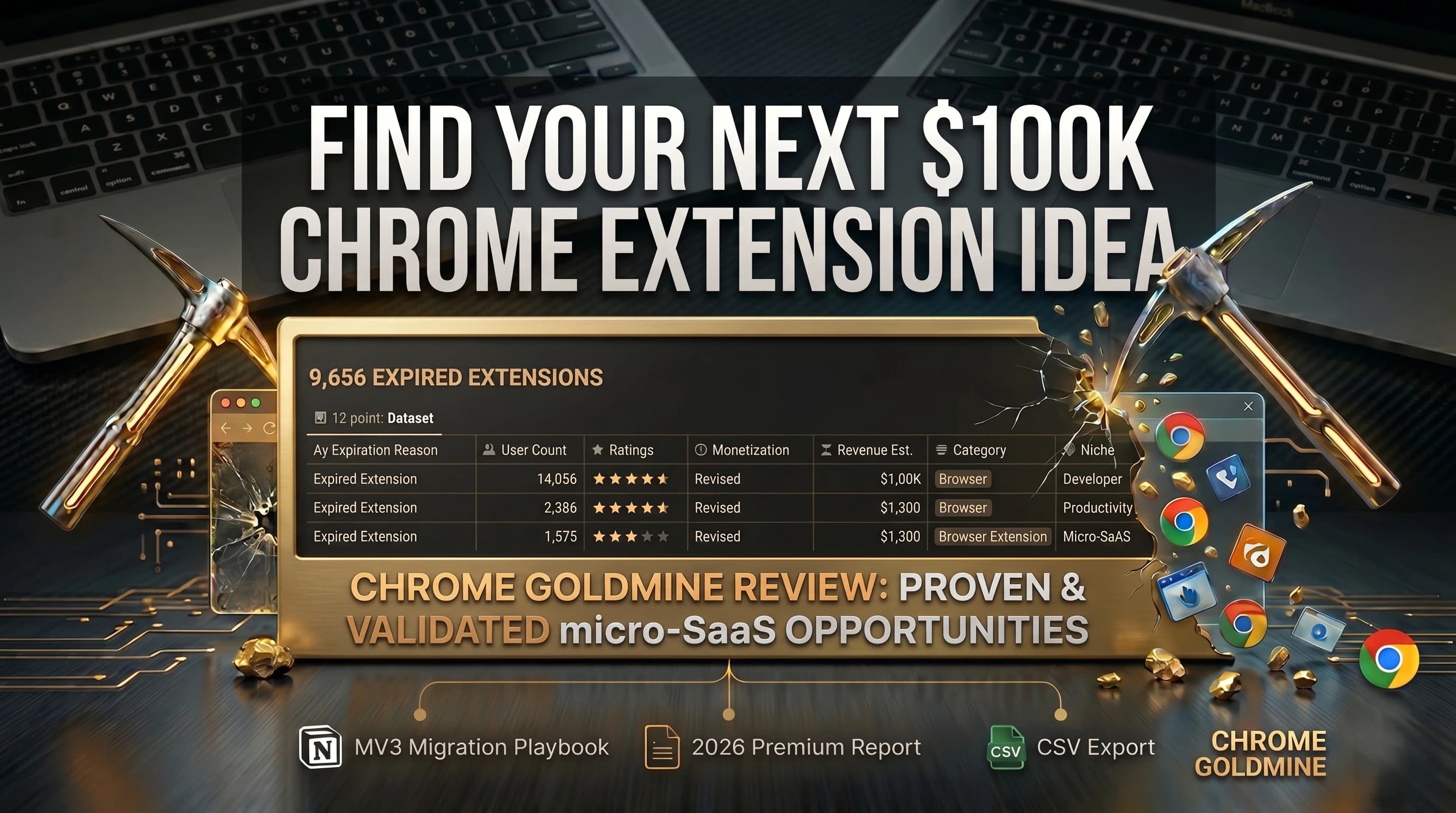
Every developer knows the hard truth about building software. The hardest part is not writing the code, setting up the database, or launching the app. The absolute hardest part is finding an idea that people will actually pay for.
If you have ever spent your weekend building a project, putting it on Product Hunt, and waking up to zero users and zero money, you know how terrible it feels to build something nobody wants.
Today, Google Chrome extensions are one of the best ways for solo builders and full-stack web developers to start a software business. They cost very little to run, you do not need huge servers, and the Chrome Web Store gives you an easy way to reach users. Also, with new AI tools like Cursor and Bolt, "vibe coders" can build apps super fast just by typing in plain English.
But there is a big problem. Because it is so easy to build extensions now, the Chrome Web Store is too crowded. Most developers waste weeks looking through the store. They try to guess which ideas will make money, look at what other people are doing, and hope they find a good idea. Most of the time, they end up building something that already exists, wasting their time and losing their motivation.
Chrome Goldmine is a research tool made to fix this exact problem. Instead of forcing you to search the web store yourself, Chrome Goldmine gives you a huge, ready-to-use database of 9,656 expired Chrome extensions.
It gives you the exact facts you need to find great ideas that older developers left behind. This lets you step in, use AI to build a better version fast, and start making money. Here is a totally honest look at what is inside this database and why it is such a great tool for developers today.
1. Stop Guessing: The 12-Point Data System
Chrome Goldmine is not just a basic list. It is a full research system built inside an easy-to-use Notion workspace.
When you log in, you get a clean workspace with almost 10,000 extensions. Every single one comes with 12 important pieces of data. Because reading 10,000 ideas is impossible, the database has strong filters to help you find the perfect weekend project. You can sort the whole list by:
- Revenue Potential: Know exactly how much money an idea could make before you start.
- Rebuild Difficulty: Skip the super hard projects and focus on simple apps you can build with AI in a few days.
- User Base Size & Ratings: See exactly how many people used the old app and if they liked it.
- Monetization Strategies: See exactly how the old app made its money.
- Category: Filter by groups like Productivity, Developer Tools, or Entertainment.
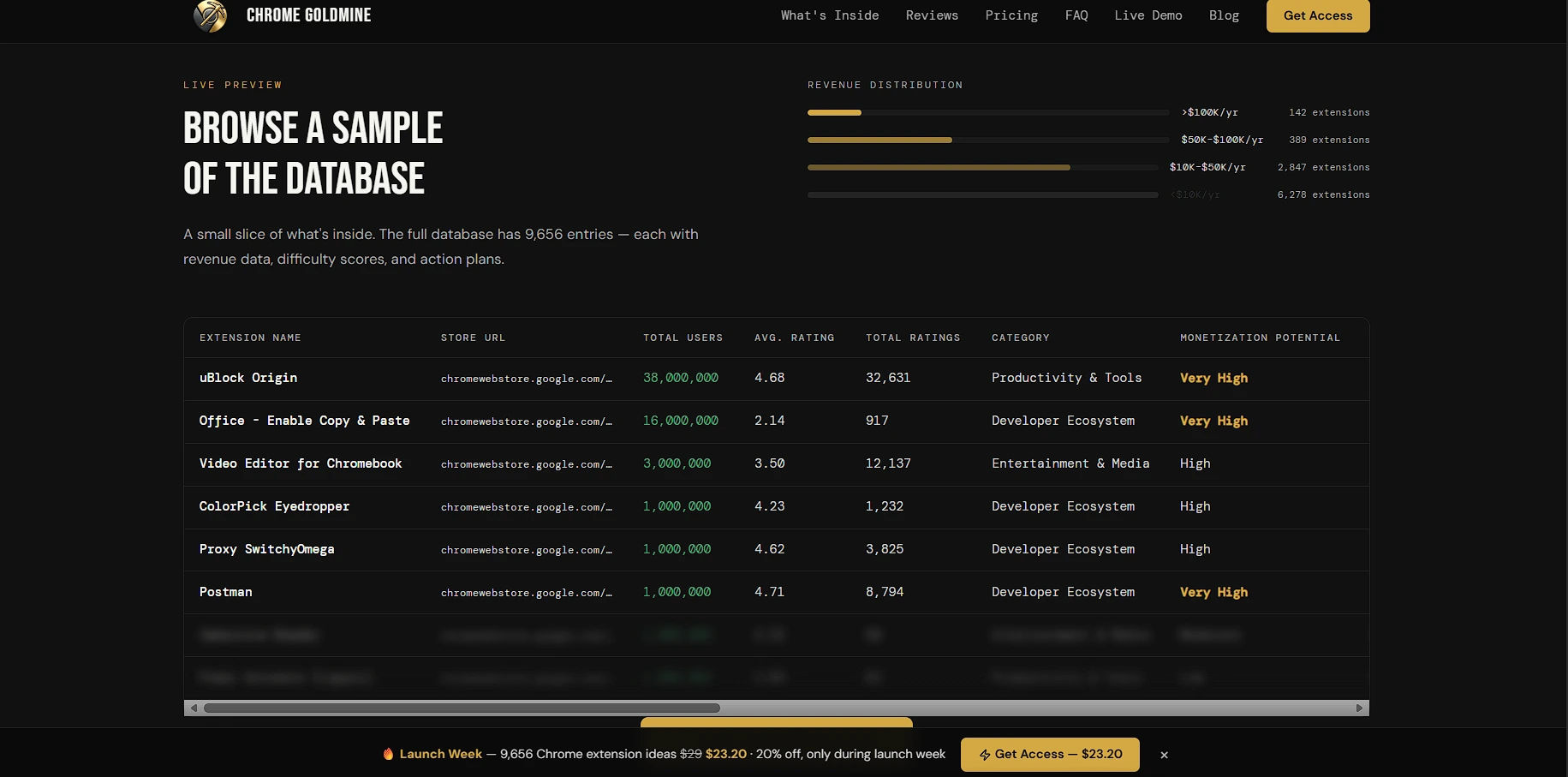 The interactive database allows you to instantly sort through thousands of extensions to find high-potential, low-difficulty ideas based on live data.
If you like to use your own tools, the platform also lets you download everything as a CSV Export. This means you own the data forever and can move it into Excel, Airtable, or your own custom database.
2. Why Did It Fail? The Blueprint for Success
Building an app and just hoping people show up is a bad plan. The best part of Chrome Goldmine is not just the big list of apps; it is that it tells you why an opportunity is open right now.
Before you open your code editor, the database gives you facts you cannot find anywhere else:
- Clear Expiration Reasons: This is the best feature of the product. It does not just tell you an app died; it tells you why. Did the developer fail to update the code to Manifest V3 (MV3)? Was it taken down because it broke a simple rule? Or did the owner just give up? Knowing exactly why it failed gives you a clear map of how to fix it and win.
- Competitor Analysis: You should never build without looking at the competition. For every idea, the database shows you similar apps that are still running today and tells you what they are missing. This helps you figure out how to make your app stand out right away.
By giving you these facts first, Chrome Goldmine turns a messy, weeks-long research job into a simple 20-minute task.
3. Extra Help: Guides, MV3, and Research Reports
Having a good idea is only the first step. You still have to build it and launch it correctly. To help you do this, Chrome Goldmine includes extra guides to help you move fast:
- The Quick Start Guide: This is a step-by-step guide that takes you from picking an idea to launching your new extension. It covers hard topics like updating to MV3, picking the best coding languages, setting up payments, and getting your first users.
- Premium Report (2026 Edition): This is a deep research report about the best market trends right now. It tells you exactly which niches are the safest and most profitable for solo developers this year.
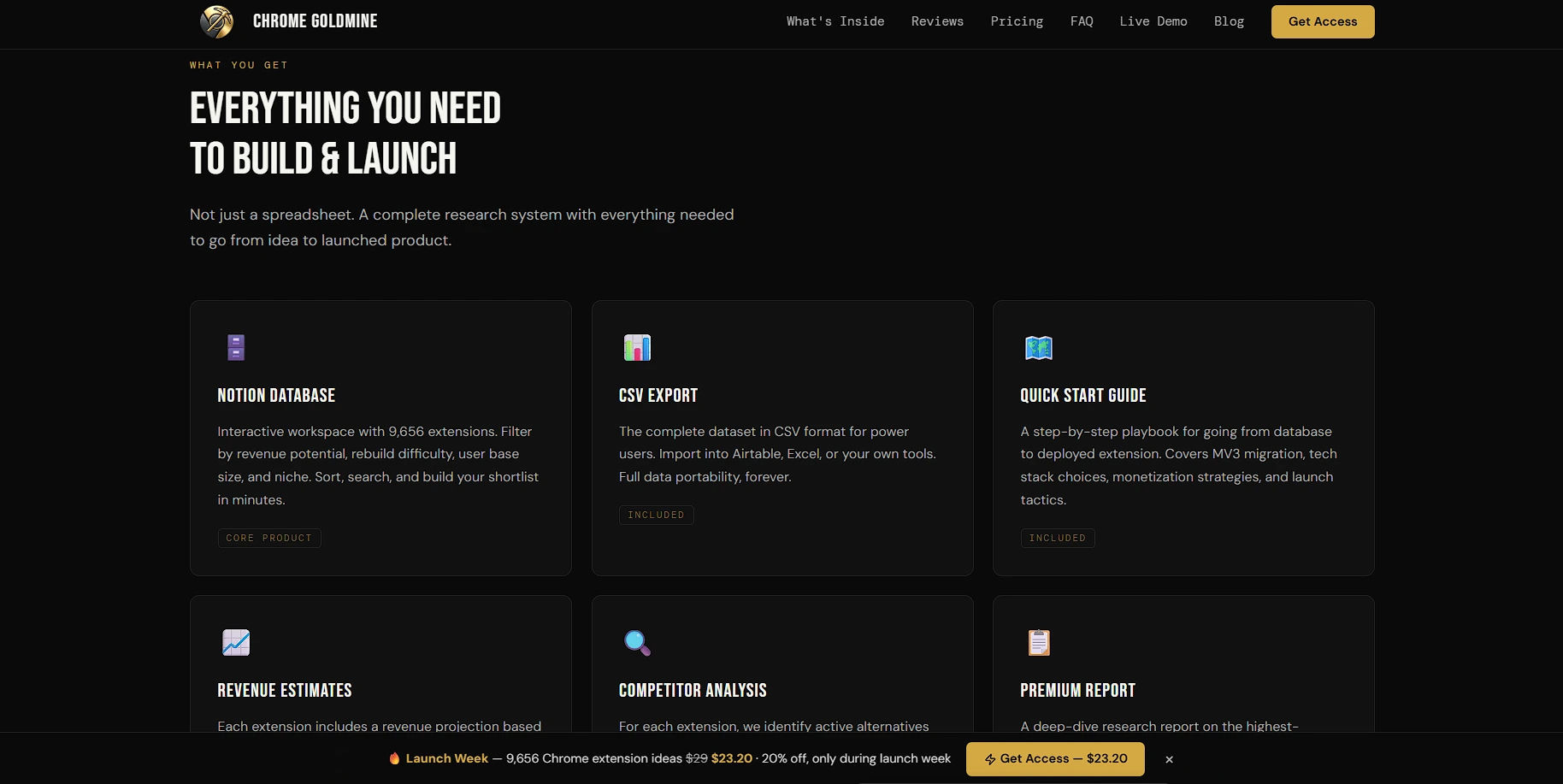 Beyond the raw data, the platform includes clear playbooks, CSV exports, and a Premium Report to help you launch without the stress.
4. Real Proof from Top Developers
When you buy digital tools, you need to know they actually work. Chrome Goldmine is not just a nice idea; top developers and normal builders are using it every day to launch real products.
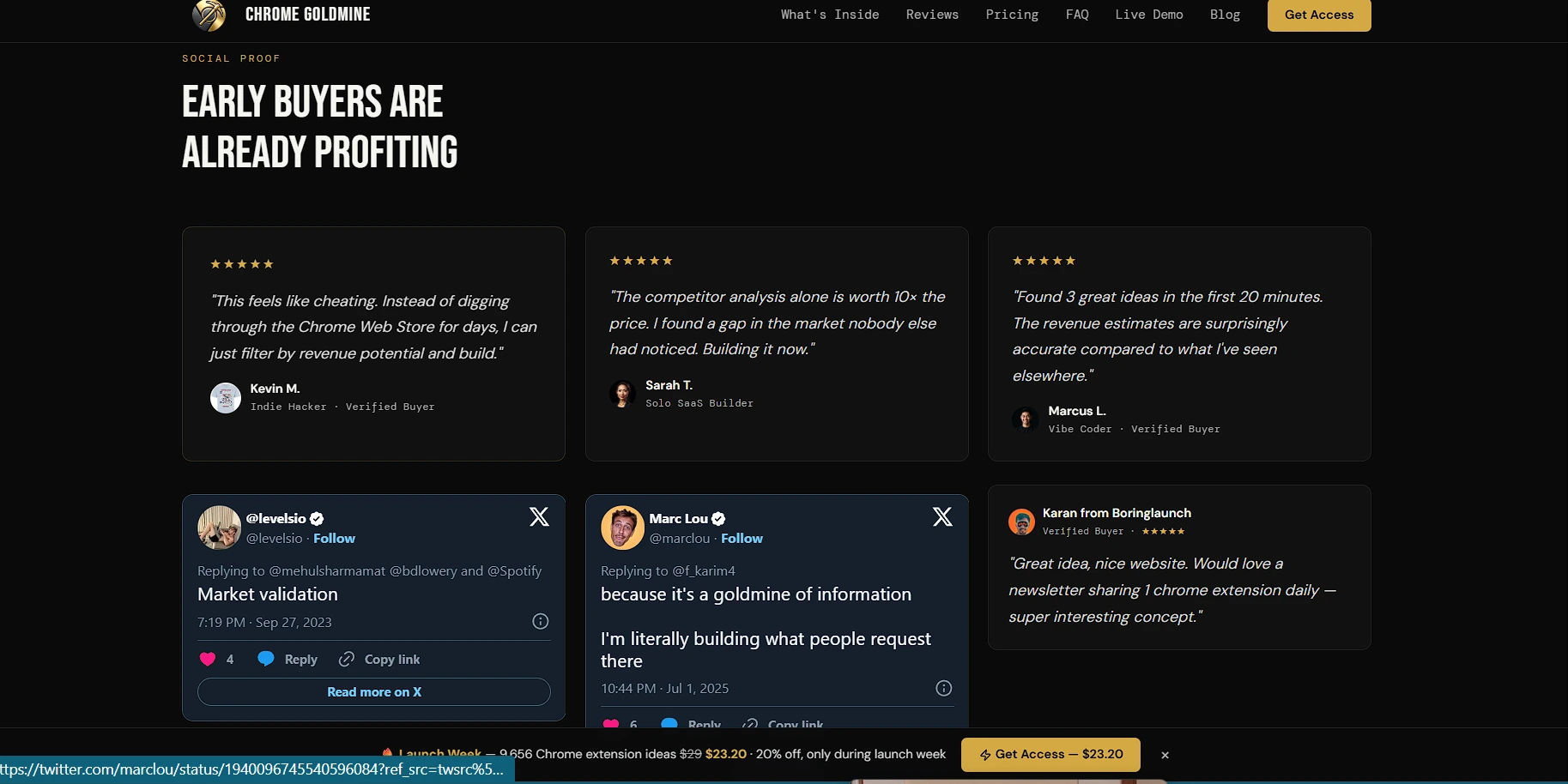 The platform has strong proof from leading SaaS founders, AI coders, and real buyers who are building apps from the database right now.
Famous founders like Marc Lou call it a "goldmine of information," and he is actively building apps based on what the data tells him. Another top builder, Levelsio, points out that it is perfect for fast "Market validation."
But the best proof comes from the solo developers who use it at home:
- Sarah T. (Solo SaaS Builder) says, "The competitor analysis alone is worth 10x the price. I found a gap in the market nobody else had noticed."
- Kevin M. (Indie Hacker) says the tool "feels like cheating" because he can just filter by the most money instead of searching the web store for days.
- Marcus L. (Vibe Coder) loves how accurate the facts are. He said he "Found 3 great ideas in the first 20 minutes."
When a smart community loves a tool this much, it proves that the data inside is actually worth the money.
5. Clear Pricing with No Monthly Fees
Today, almost every software tool forces you to pay an annoying monthly fee. Chrome Goldmine is different. Their pricing is very simple and honest: One Price, Everything Included.
- Standard Price: $29.00
Chrome Goldmine uses a clean, one-time payment system through Gumroad. It also comes with a full 30-day money-back guarantee.
You pay securely through Gumroad, and you get access to the Notion workspace and the CSV files right away. There is no waiting.
The best part is that this one-time payment gives you Lifetime Updates. The Chrome Goldmine team updates the list every three months with new expired extensions. You pay once, but you keep getting new ideas forever for free. Also, they offer a very safe 30-day money-back guarantee. If you look through the thousands of ideas and truly cannot find anything good to build, you get all your money back. No questions asked.
Final Thoughts
Your time is the most valuable thing you own. Spending 40 hours manually checking the Chrome Web Store and guessing how much money apps make is a bad use of your skills. This is especially true today, when AI tools can help you build the app in just a few hours.
Chrome Goldmine fixes the hardest problem in software development: finding a tested, profitable idea that is actually easy to build. By giving you 12 clear data points and showing you exactly why old apps failed, it hands you a map to success. For a one-time payment of under $30, you get lifetime access to nearly 10,000 great ideas, competitor data, and launch guides.
It is a very smart buy. If even one of those 9,656 ideas turns into a money-making Chrome extension, this tool pays for itself thousands of times over. Stop guessing what people want, and start building what the facts prove they need.


