
In product-based businesses, your customer quote is only as fast and accurate as your supplier pricing.
When a customer requests pricing for bulk hardware, specialized equipment, or wholesale materials, the sales team must determine the current cost to get those products. This starts the process of requesting supplier prices, comparing lead times, checking minimum order quantities (MOQs), calculating margins, and waiting for vendor responses.
QuotesFlow is a software platform designed to manage this workflow. Rather than focusing on the final customer-facing PDF document, QuotesFlow focuses on managing Request for Quotes (RFQs) and tracking supplier pricing.
This guide explains how QuotesFlow works, the problems it solves, its main features, and how it compares to standard CRM and ERP systems for small and medium-sized businesses (SMBs).
1. The Cost of Slow Quoting
To understand why a tool for supplier pricing is useful, let's look at how businesses normally handle RFQs.
When a customer asks for a quote, the process usually looks like this:
- A sales rep receives the customer request and sends the details to a buyer.
- The buyer drafts separate emails to different suppliers asking for current pricing, availability, and lead times.
- The buyer waits for replies.
This is where delays happen. One supplier might reply in ten minutes but forget the delivery date. Another might take three days. A third might miss the email completely.
During this time, internal communication gets confusing. Salespeople ask buyers for updates because the customer is waiting. Buyers have to search their emails to check if a vendor has replied. Because there is no shared view, two sales reps might accidentally contact the same supplier for the same product.
The Impact of Supplier Delays
Slow supplier responses impact the business:
- Lost Deals: If your quote takes four days because you are waiting on a vendor, the customer might buy from a competitor who responded faster.
- Lower Profits: When a quote is delayed, sales reps might rush. They might use outdated pricing or guess shipping costs, which reduces the profit margin.
- Lost Data: When supplier quotes are kept in personal email inboxes, the company does not build a shared history. Months later, if another customer asks for the same item, the buyer has to start over.
2. What is QuotesFlow?
QuotesFlow is a software platform built to organize supplier pricing requests. It acts as a central hub where teams, such as distributors, resellers, and wholesale suppliers, can request prices, track vendor responses, and compare costs in one place.
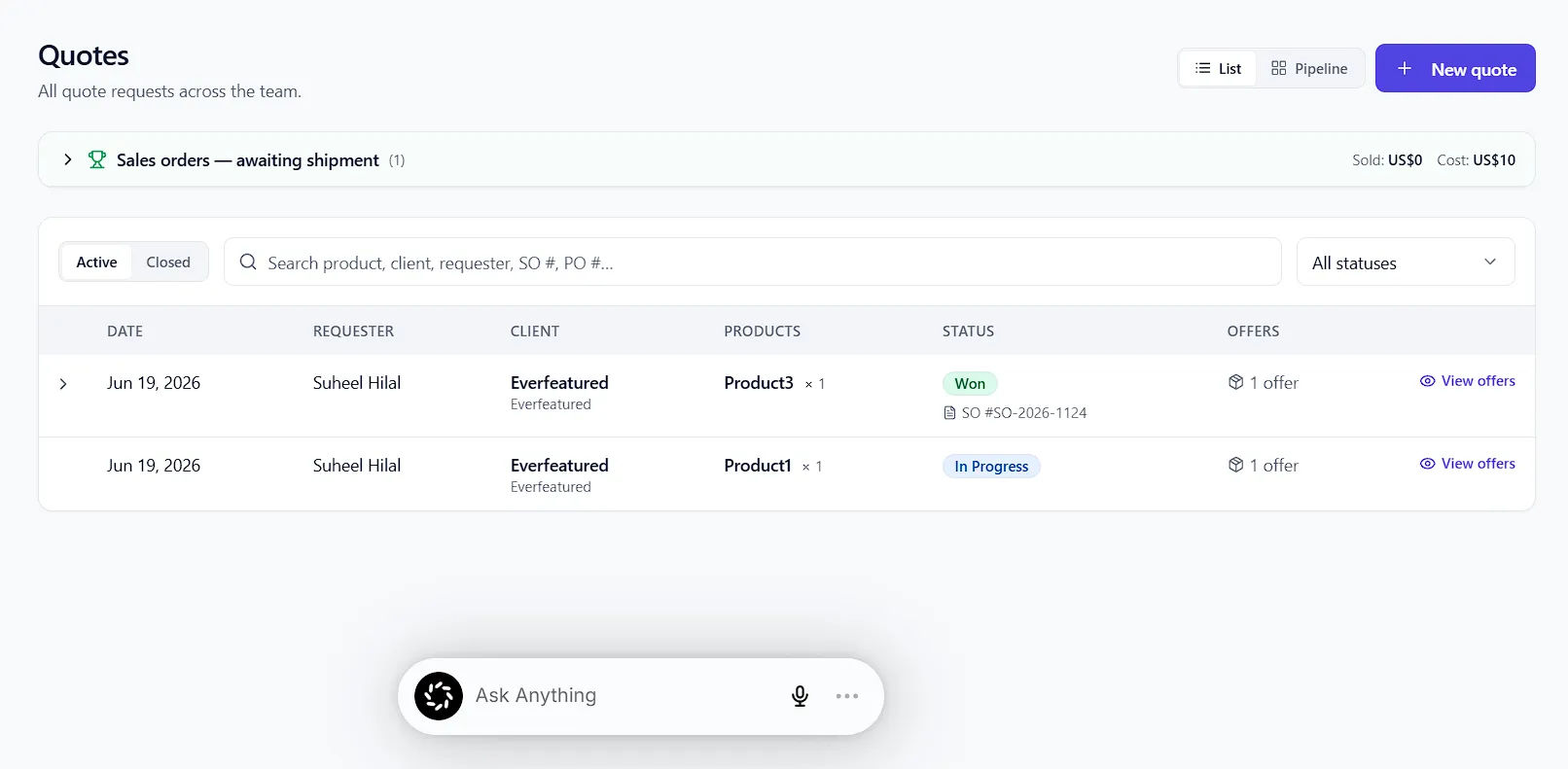
It is different from standard quote generation software. Standard quoting tools help you format a proposal to send to your customer, assuming you already know your exact costs.
QuotesFlow is built for the step before that. It is a supplier pricing management tool. It helps your team figure out the cost, stock status, and lead time, so you can build the final customer quote with accuracy and speed.
3. Core Features
The QuotesFlow platform includes several workflows to organize purchasing and sales.
Central Workspace
Instead of managing supplier requests in emails and spreadsheets, every customer request gets its own workspace. For example, if a client needs 25 headsets, a user creates an RFQ record for that request. From this dashboard, the team can see who started the request, what the customer needs, who is handling it, and its current status.
Duplicate Request Alerts
Sometimes, multiple reps ask the same supplier for the exact same parts. QuotesFlow flags duplicate requests instantly. This ensures your team does not send repeated questions to vendors.
Supplier Response Tracking
QuotesFlow tracks the requests sent to suppliers and monitors their replies. The platform organizes the incoming data into a comparison view.
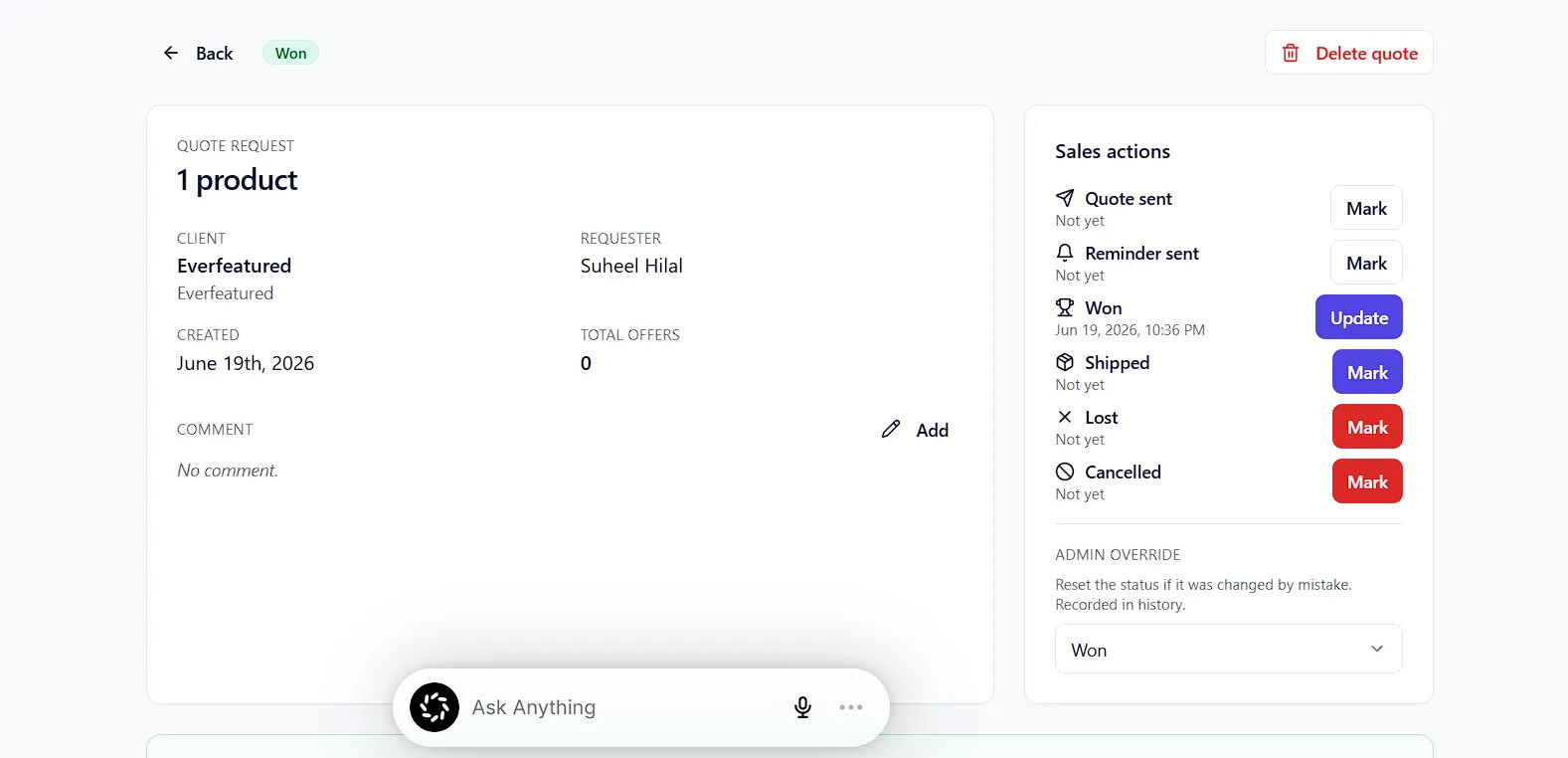
Using the headset example, the dashboard lists the contacted distributors. Next to each supplier, QuotesFlow shows the quoted price, the estimated lead time, and the request status. This highlights which suppliers are ready to fulfill the order.
Cost and Margin Protection
A supplier might offer the lowest price, but if their delivery takes five days and another vendor takes three days, the faster option might be better. QuotesFlow allows teams to compare supplier responses side-by-side. The interface tags the "best price" option. It also features a margin calculator. Users can input their best cost and their target sell price, and the software calculates the profit margin percentage.
Supplier Contact Management
QuotesFlow includes a directory for your purchasing team. Users can organize supplier contacts, group them by product type, leave notes, and mark preferred vendors.
Pricing History
Because all RFQs and supplier responses run through the platform, the system saves historical costs. When a team member needs to quote an item, they can search the platform to see what suppliers charged for that item before.
4. QuotesFlow vs. ERPs and CRMs
You might wonder why a company cannot just use their existing CRM or ERP system. The answer is how these tools are built.
CRMs (e.g., HubSpot, Salesforce)
- Focus: Customer relationships and sales.
- The Weakness: These systems require you to have a fixed cost in your database. If prices change often, your CRM product catalog becomes outdated. CRMs also do not have features for emailing multiple suppliers, tracking replies, or comparing vendor costs side-by-side.
ERP Systems
- Focus: Inventory management, invoicing, and purchase orders (POs).
- The Weakness: ERP systems manage items after you buy them, but they are hard to use during the sourcing phase. They do not easily handle quick pricing requests from outside vendors.
The QuotesFlow Difference
QuotesFlow does not replace your ERP. It handles the steps before the PO. It manages communication with outside vendors and gives you the exact cost you need to enter into your final quoting tool or ERP system.
5. Industry Use Cases
QuotesFlow is designed for product-based organizations with many vendors. It is not for service-based businesses that charge by the hour.
| Industry | Main Problem | How QuotesFlow Solves It |
|---|---|---|
| Industrial Suppliers | Managing many vendors for parts. | Turns customer requests into supplier RFQs with one click. |
| Specialty Distributors | Niche items have changing prices. | Tracks contract pricing and saves responses for rare items. |
| Promo Product Distributors | Projects have setup fees and decoration costs. | Captures setup fees and decoration costs across multiple suppliers in one view. |
| Custom Product Shops | Sourcing unique materials for custom builds. | Turns a custom request into organized RFQs for different material types. |
6. How an RFQ Works in QuotesFlow
Here is how an RFQ moves through QuotesFlow.
Step 1: Capture the Request
The sales rep receives a request from a client. The rep logs the items, quantities, and deadline directly into QuotesFlow.
Step 2: Send Requests
The buyer reviews the request. They select the product category and send RFQs to their preferred suppliers with a single click.
Step 3: Track Status
The RFQ status updates to "In Progress." The sales rep and the buyer can see who was contacted. If a supplier takes too long, it is clearly visible, making it easy to follow up.
Step 4: Compare and Calculate
As suppliers reply, the buyer enters the numbers. The system formats the data side-by-side. The buyer enters the target selling price, checks the profit margin, and selects the best vendor.
Step 5: Finalize the Quote
With verified supplier costs, the sales rep transfers the data to their main billing or CRM tool to create the customer quote.
7. Pros and Cons of QuotesFlow
The Pros
- Focused Solution: It solves one specific problem, supplier pricing management.
- Saves Time: Having everything in one place speeds up quote preparation.
- Margin Check: Calculating margins before a quote is sent prevents unprofitable sales.
- Prevents Double Work: Shared visibility stops multiple reps from contacting the same vendor for the same item.
The Cons
- Specific Use Case: If your company sells fixed services, digital products, or has a fixed product catalog, this software is not for you.
- Pre-Sales Only: It does not create the final branded PDF for the customer or handle invoices. You still need your CRM or accounting software for that.
8. Pricing and Plans
QuotesFlow uses team-based pricing tiers. Every plan includes a 14-day free trial.
Starter Plan - $29 / month
- Best for: Solo operators or very small teams.
- Includes: Up to 3 users and 50 quote requests per month. It features RFQ tracking, price comparison, a margin calculator, and reminders.
Growth Plan - $99 / month
- Best for: Teams with 2 to 8 people.
- Includes: Up to 8 users and 175 quote requests per month. It adds a shared team dashboard, duplicate request warnings, and a searchable supplier database.
Power Plan - $279 / month
- Best for: Active distributors quoting daily.
- Includes: Unlimited users and unlimited quote requests. It adds product pricing history, custom margin rules, and reporting dashboards.
9. Conclusion
In product-based businesses, quotes need to be fast and accurate. Disorganized emails and slow supplier responses can lead to lost deals and lower profits.
QuotesFlow provides a central workspace to request prices, track vendor responses, and calculate margins. It connects sales teams with purchasing teams to improve the quoting process.
For distributors, wholesalers, and manufacturers, QuotesFlow is a helpful tool to reduce turnaround times and protect profit margins.


