Writing a book is a common goal, but very few people actually finish one. The reason is simple: staring at a blank page is intimidating. Whether you want to write a business guide, a self-help book, or build a technical documentation guide to share your coding knowledge, organizing tens of thousands of words is a massive challenge.
Usually, creators get stuck in the outlining phase, or they lose their motivation halfway through the first chapter.
Tape Engine was built to solve this exact problem. It is not just a text generator; it is an entire publishing pipeline. It helps you outline your idea, pick your publishing platform, write the manuscript, design the cover, validate your formatting, and calculate your royalties.
Here is a clear look at how Tape Engine works, what makes it different from standard AI writers, and the exact steps to build your first book.
1. A Complete Publishing Pipeline
Most AI writing tools just give you a block of text and leave you to figure out what to do with it. Tape Engine is different because it is built with the final product in mind.
- Platform-Ready Formatting: Before you write a single word, the platform asks where you want to publish. Whether it is a direct PDF lead magnet for your website, an Apple Book, or an Amazon KDP Paperback, it structures the final file to meet those specific rules.
- Multiple Ways to Create: Tape Engine lets you type out a text prompt ("Idea to Book") or simply speak your thoughts into a microphone ("Voice to Book") so the AI can organize your spoken words into chapters.
- Audiobook Generation: It includes a Voice Studio where you can clone your own voice or record audio directly, turning your written manuscript into an audiobook without needing an expensive recording studio.
2. Step-by-Step User Guide: Building Your Book
Tape Engine uses a smart, guided process so you never feel lost. Here is the exact workflow to go from a raw idea to a finished manuscript.
Step 1: Traditional Secure Sign-Up
Tape Engine takes a traditional, secure approach to account creation. You simply use a standard sign-up process with your name, email, and password, and then verify your account using a one-time password (OTP) sent to your inbox. This ensures you have full, private control over your publishing account.
Step 2: The Command Center Dashboard
Once you verify your account, you enter the main dashboard. It features a clean, professional dark-mode design. From this hub, you can track your publishing streak, see your active tapes, manage your library, and access the voice studio. To start your project, simply click "New Project."
Step 3: Choosing Your Creation Method
Tape Engine gives you two distinct starting paths based on how you prefer to work:
- Idea to Book: Turn a written idea into a fully structured manuscript with AI-generated chapters.
- Voice to Book: Speak naturally and let the AI transcribe and organize your voice into a structured book.
Step 4: The Project Setup Wizard
Tape Engine uses a smart wizard to build your foundation before any heavy writing begins:
1. The Idea: You describe the topic and audience. As you type, a sidebar updates with your "Estimated Output," showing the expected chapter count, word count, and audiobook length. 2. The Platform: You select where the book will be published. Options include Amazon KDP (Ebook, Paperback, Hardcover), Apple Books, Google Play, Draft2Digital, or a Direct PDF for lead magnets. 3. The Length: You choose the target size (Short Book, Standard Book, Full Length, or Custom).
Step 5: Generating the Book Blueprint
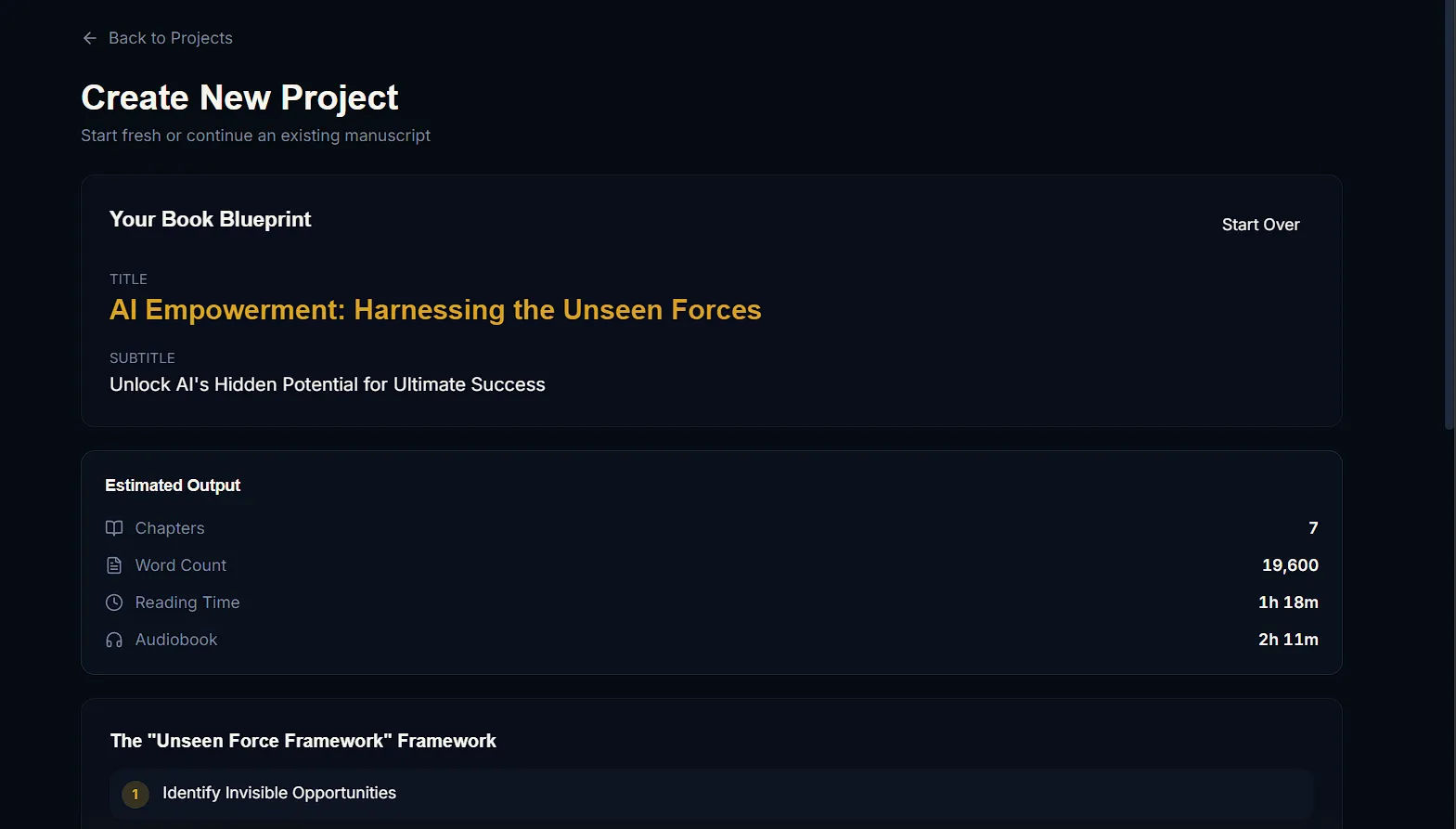
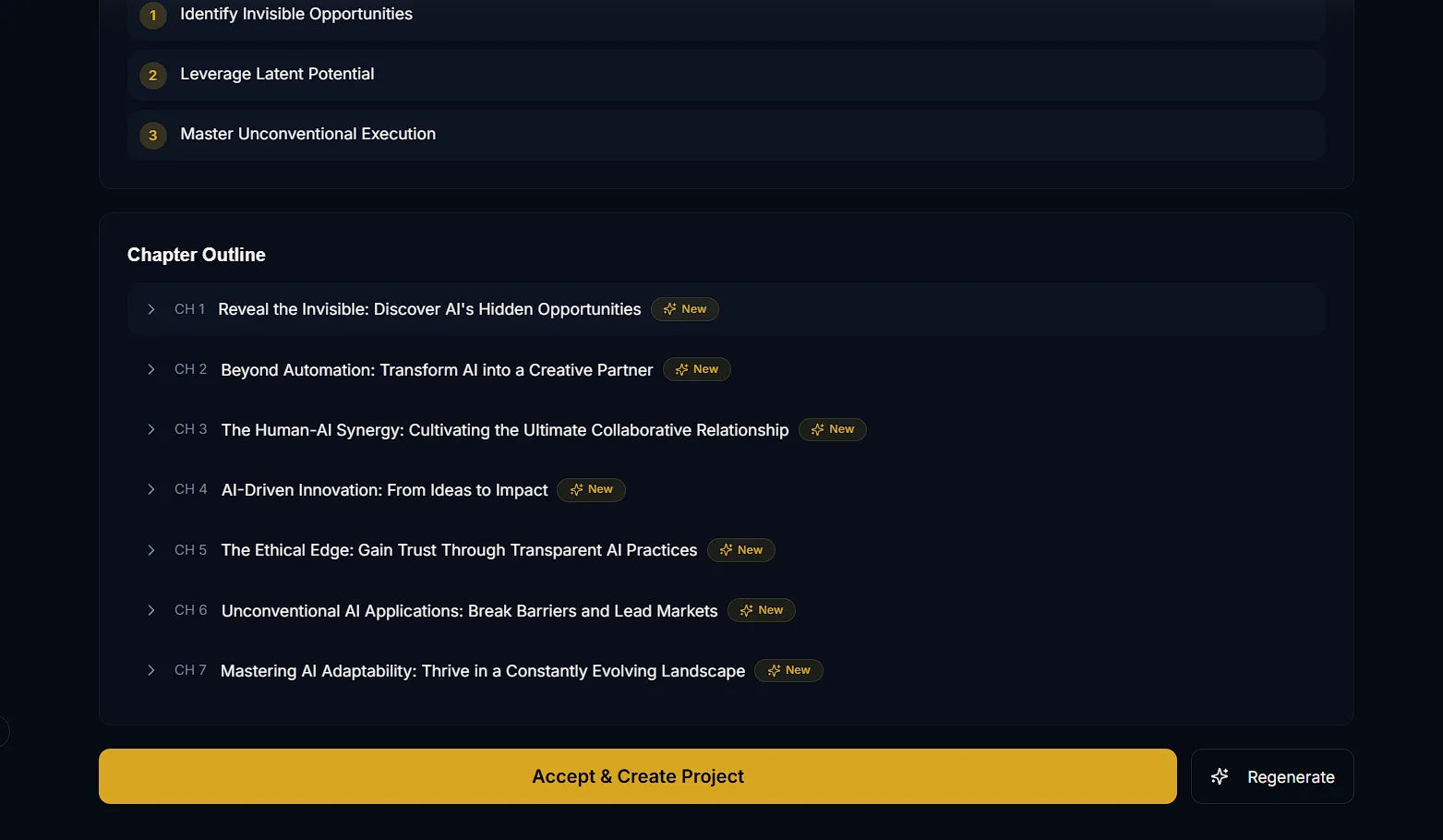
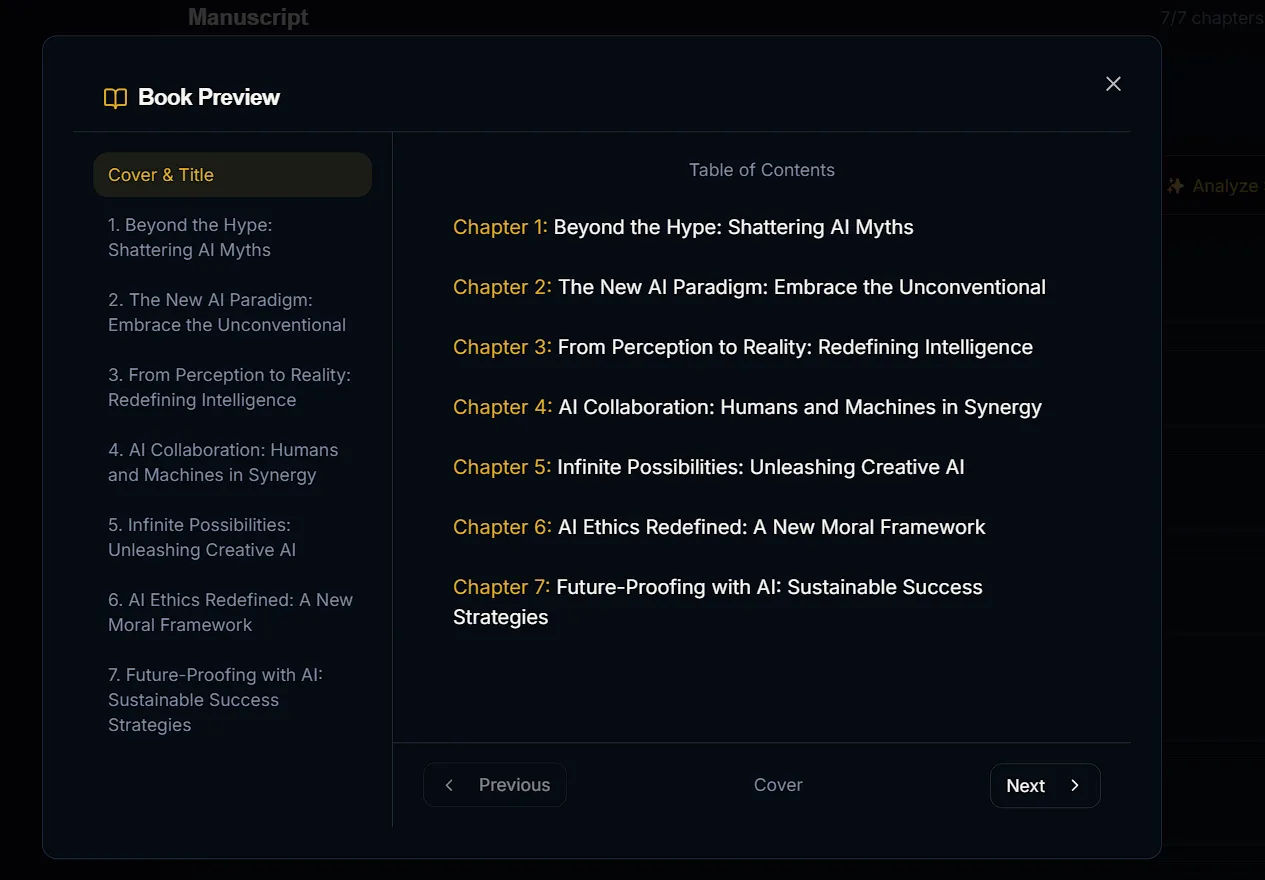
After providing the setup details, you click "Generate Book Blueprint." The AI creates a custom Title, a Subtitle, and a unique framework. It then builds a complete, chapter-by-chapter outline. You can review the chapter titles and click "Regenerate" if you want different angles. Once you are happy with the structure, you click "Accept & Create Project."
Step 6: Writing the Manuscript
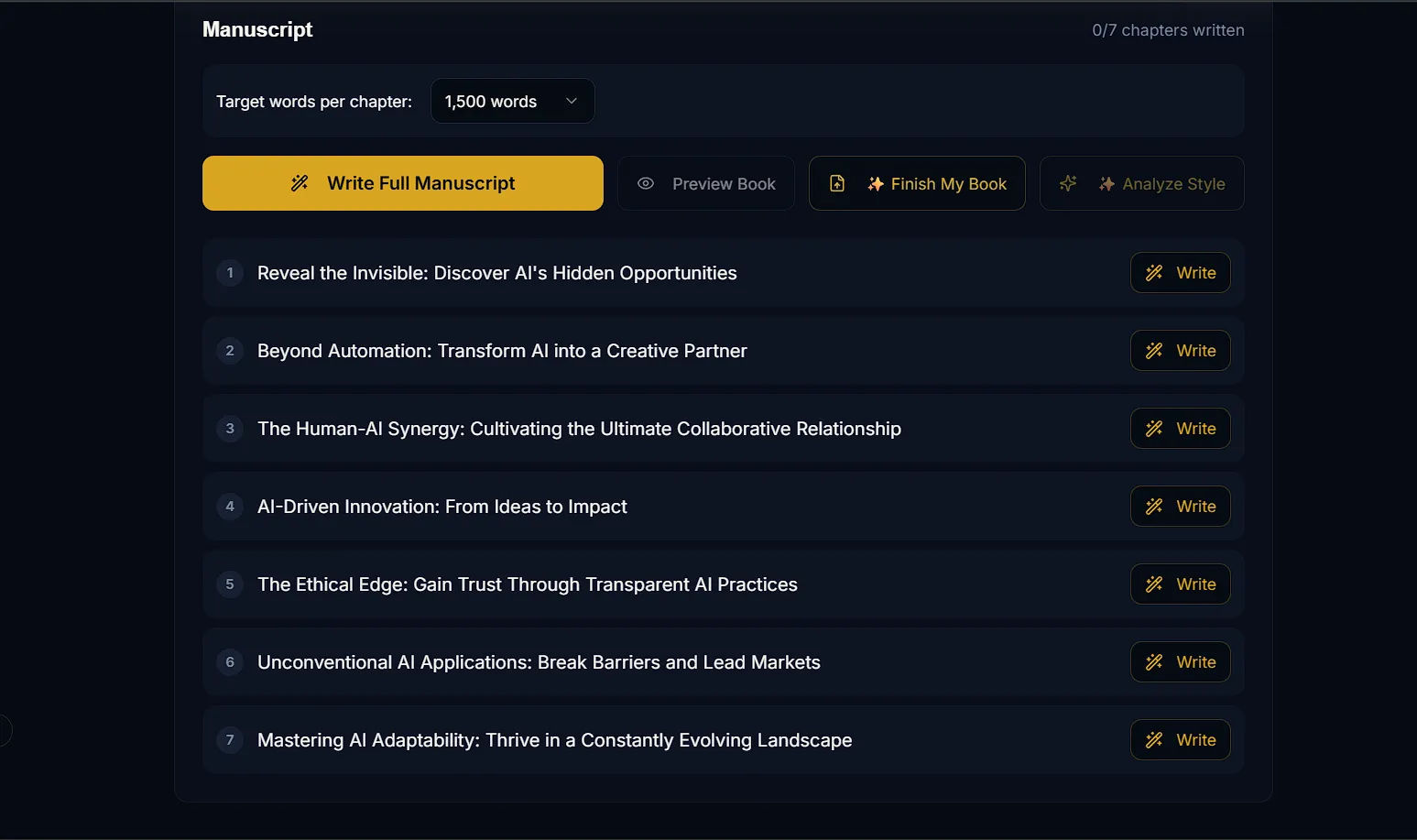
With the blueprint locked in, you are taken to the Manuscript Editor. You can set a target word count for each chapter (for example, 1,500 words).
As the AI generates the text, you get clear visual indicators for every single chapter. It shows you exactly how many words have been written versus your goal. You can generate the whole book at once, or click "Write" chapter-by-chapter to maintain tight control over the content.
Step 7: Designing Your Cover
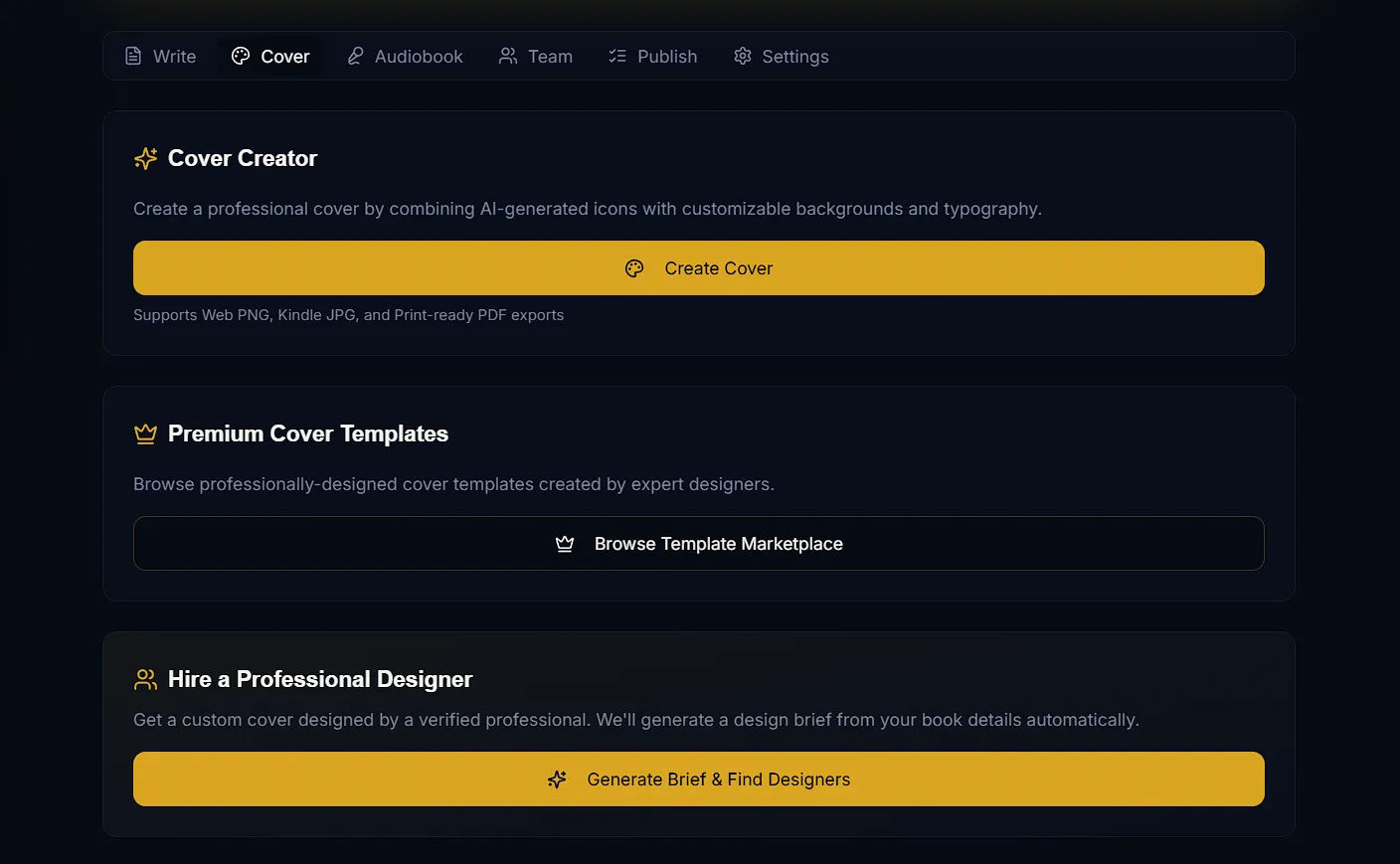
Tape Engine has a built-in Cover Studio with three distinct options depending on your budget and skill level:
- Cover Creator: An AI tool that lets you create a professional cover by combining AI-generated icons with customizable backgrounds and typography.
- Premium Cover Templates: A marketplace where you can browse and apply professionally designed cover templates.
- Hire a Professional Designer: Tape Engine can automatically generate a design brief based on your book's details and connect you with verified freelance professionals.
3. The Publish Hub: Validation, Royalties, and Exporting
Once your manuscript is written and your cover is designed, you do not just get a simple download button. Tape Engine provides a professional Publish hub that acts as a strict quality-control gate before your book goes live.
The Readiness Gate
Before you can export, Tape Engine runs your book through an automated "Readiness Gate." It checks several critical areas:
- Metadata: It ensures you have a Title and an Author set. If the author's name is missing, the export is strictly blocked until you fix it.
- Structure: It verifies that chapters are numbered sequentially, there are no duplicate titles, and all chapters have actual content.
- Formatting: It ensures all chapters meet the minimum word count (200 words) and that there are no unresolved AI text placeholders left in your draft.
Royalty Calculator & Checklists
Inside the Publish tab, you will find a highly useful Royalty Calculator. You can enter your expected Book Price and Page Count to estimate your monthly and yearly earnings. It provides a detailed breakdown comparing platforms like Apple Books, Kobo, Amazon KDP (eBook, Paperback, Hardcover), Barnes & Noble, and IngramSpark. It even factors in estimated print costs.
The hub also provides a customized Publishing Checklist (e.g., reminding you to create a landing page and set up an email capture form if you are exporting a Direct PDF lead magnet).
AI Book Descriptions & Exporting
Before you leave, you can use the AI Book Descriptions tool to automatically generate compelling back cover blurbs, Amazon/Etsy descriptions, and targeted keywords based on your finished manuscript.
Once your Readiness Gate checks are all passed and unblocked, you can finally launch the Export Wizard. Tape Engine allows you to download your fully formatted book as a PDF or Word document. (They also have an upcoming .TAPE file format designed for distribution directly to their own AI-native reading platform).
4. Subscriptions and The Credit System
To keep the platform running smoothly, Tape Engine uses a hybrid model of monthly subscriptions and a pay-as-you-go Credit System. Every AI action you take consumes credits (for example, generating a Blueprint costs 1,000 credits, and generating a standard chapter costs 1,000 credits).
Subscription Plans:
- Basic ($19/month): Provides essential publishing tools and 50,000 credits/month. Includes AI manuscript generation, basic cover design, and KDP export.
- Premium ($49/month): The most popular tier, providing 100,000 credits/month and unlimited publishing power.
- Premium Yearly ($399/year): The best overall value, giving you 2 months free and a massive 250,000 credits/month.
Credit Top-Up Packages: If you are generating a lot of content and burn through your monthly subscription allowance, you do not have to wait until next month. You can buy instant top-up packs:
- Starter Refill ($49.99): 50,000 Credits (Perfect for testing ideas and drafts).
- Founder Pack ($297): 500,000 Credits (The best value for serious authors).
- Enterprise Bundle ($499.99): 1,000,000 Credits (Built for publishing houses and agencies).
Our Honest Opinion
Tape Engine is an incredibly powerful tool for anyone who has a lot of knowledge but lacks the time to sit down and type for hundreds of hours.
By forcing you to pick a publishing platform first, creating a strict outline, breaking the book down into manageable chapters, and putting your final draft through a strict Readiness Gate, it removes all the confusing parts of self-publishing. Tape Engine gives you the clear, professional workflow you need to finally get your book out of your head and into the world.


